

Yes, you can usually add MagSafe to a case that was never designed for it. Adding a magnetic ring or plate to the back of your case restores the alignment MagSafe chargers, wallets and mounts need to snap into place. It won’t turn your case into an Apple-certified product, and it doesn’t work on everything.
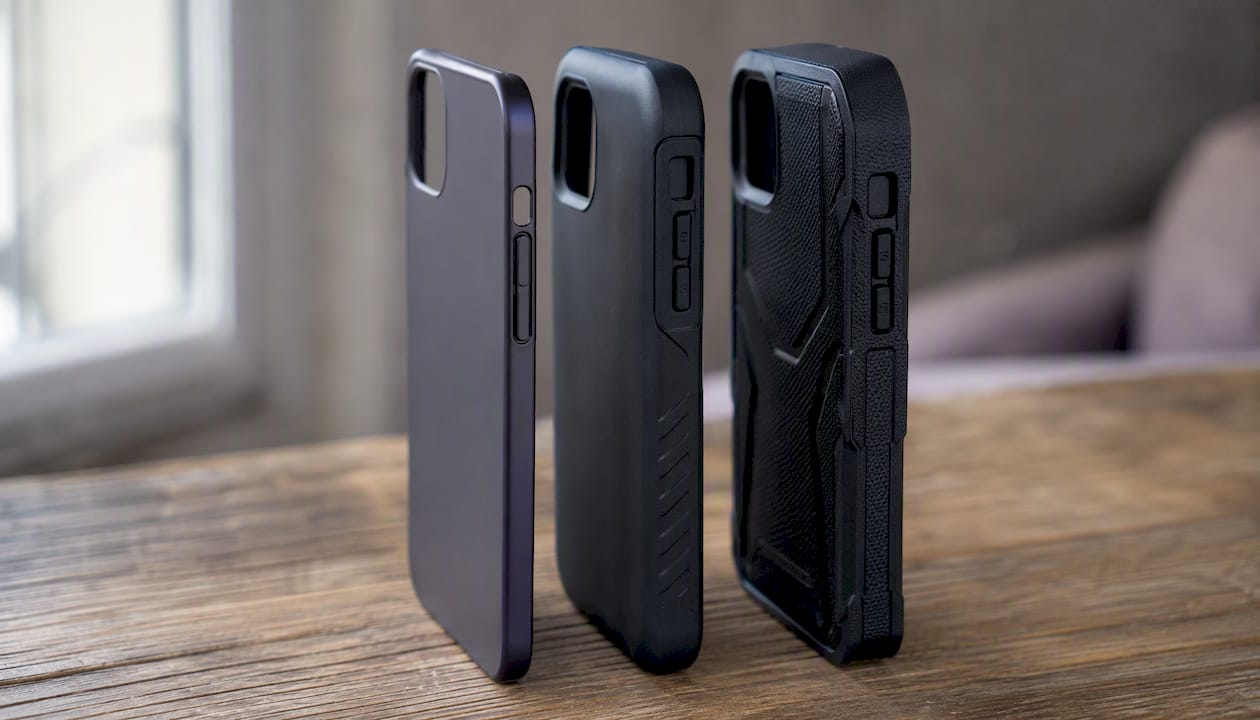
The two limits that matter most are case thickness and surface finish. Cases made from TPU or polycarbonate that are relatively thin take a retrofit ring well; thicker cases, heavily textured surfaces, and fingerprint-resistant coatings tend to defeat the adhesive or weaken the magnetic pull too much to be useful. An aftermarket ring also won’t grant genuine MagSafe certification, whatever the packaging implies.
If your case is fairly thin and has a smooth, uncoated back, a retrofit ring is worth trying. If it’s thicker, rubberised, or heavily textured, swapping the case may be a better option.
Key Takeaways
Adding MagSafe to a non-certified case works reliably only when the case is thin enough and the surface accepts adhesive properly.
| Point | Details |
|---|---|
| Check thickness first | Cases under roughly 4mm made from TPU or polycarbonate take a retrofit ring best. |
| Clean and prep the surface | Alcohol-wipe and lightly abrade coated finishes before applying any adhesive. |
| Use the charger to align | Dry-fit the ring using your MagSafe charger’s own pull before final adhesion. |
| Match the method to the need | Rings give full charging and grip; metal plates suit slim cases and mount-only use. |
| Replace when retrofitting fails | SmartProtectors’ MagSafe-compatible cases suit thick, textured or heavily used cases better than a repeated retrofit. |
Table of Contents
- Three ways to add MagSafe to a case: quick comparison
- How do you install a MagSafe ring on your case?
- Can a metal plate work instead of a magnetic ring?
- When should you replace the case instead of retrofitting?
- What case materials and thickness actually work with MagSafe?
- What should you look for when buying a MagSafe ring or plate?
- Why won’t my retrofit ring hold or charge properly?
- Are there any safety or warranty risks worth knowing?
- Why does case thickness matter more than magnet strength?
- What actually matters when you add MagSafe to a case
- Prefer a ready-made solution? Browse MagSafe cases instead
- Frequently asked questions
- Sources
Three ways to add MagSafe to a case: quick comparison
Before you buy anything, it helps to see the three retrofit routes side by side. Each solves the same problem (getting your case to grab a MagSafe charger or accessory) in a different way, with different trade-offs in cost, durability and how much fiddling is involved.
- Adhesive magnetic ring: A slim ring with its own magnets and, usually, a metal plate for alignment, stuck to the case exterior. Pro: strongest magnetic hold of the three, works with chargers, mounts and MagSafe wallets alike. Con: adds a small amount of thickness and a visible edge on clear cases. Best for TPU or polycarbonate cases under 4mm where you want proper charger snap and wallet attachment.
- Adhesive metal plate or disc: A thin, usually non-magnetic, metal disc that lets a magnetic accessory (not a MagSafe charger on its own) find its position. Pro: barely adds any thickness and costs very little. Con: weaker hold, and it won’t help a MagSafe charger align or charge on its own since the disc has no magnet of its own. Best for very slim cases or when you mainly want mount compatibility rather than charging.
- Replace the case with a MagSafe-certified case: Buying a case built with the ring already integrated. Pro: guaranteed alignment, tidy factory finish, and no adhesive to fail over time. Con: costs more upfront and means giving up whatever case you currently like. Best when your current case is thick, textured, or heavily used with wallets and fast charging.
Most people start with the ring. It’s cheap, quick, and reversible if you change your mind.
How do you install a MagSafe ring on your case?
This is the most common way to add MagSafe to a case, and it takes about 20 minutes once the adhesive has been given time to bond. The kit you buy matters more than the technique. Cheap rings with thin, generic adhesive tend to lift within weeks; better kits use proper double-sided tape and a placement template.
What you’ll need:
- Isopropyl alcohol wipes (or a lint-free cloth and rubbing alcohol)
- The magnetic ring kit, including its adhesive layer and template if supplied
- A ruler or the supplied alignment template
- Your MagSafe charger, for a dry-fit alignment check
- A hairdryer (optional, for warming stubborn adhesive)
Preparation
- Remove the case from your phone and check the back for any residue, oil, or dust. Wipe it thoroughly with an alcohol wipe and let it dry fully, since any grease left behind is the single biggest cause of adhesive failure.
- If the case has a fingerprint-resistant or satin coating, lightly abrade the area where the ring will sit with a fine abrasive pad. This roughens the surface just enough for the adhesive to key into it properly, which matters because low-surface-energy coatings are a known cause of premature adhesive failure on retrofit rings.
- Place your phone in the case and set it face down on a flat surface, then rest your MagSafe charger on the back to find its natural resting position. Mark that spot lightly with a pencil or a small piece of masking tape.
Installation
- Peel back a small corner of the adhesive backing on the ring, but don’t remove it fully yet.
- Dry-fit the ring over your marked position without sticking it down, and double-check it centres on the coil location by placing the MagSafe charger over it. Letting the charger itself guide the ring into position before final adhesion is a technique several accessory guides recommend, because the charger’s own magnets pull the ring exactly where it needs to be.
- Once you’re confident in the position, peel the backing fully and press the ring down firmly, working from the centre outwards to avoid trapping air bubbles.
- Hold firm pressure across the whole ring for 30 to 60 seconds, then set the case aside without touching the ring for at least an hour, ideally longer.
- Reattach your phone and test with the MagSafe charger, a magnetic wallet, and any mount you use regularly.
Pro Tip: Apply the ring to the case, not the phone itself. Manufacturers such as Spigen generally recommend fitting mounts to the case back rather than directly onto the phone, because adhesive bonds far better to textured plastic and TPU than to the smooth glass or metal of a handset.
Leave the case alone for a full 24 hours before hanging heavy accessories like a car mount or wallet from it. Rushing the cure time is the most common reason people report a ring peeling off within the first week.
Can a metal plate work instead of a magnetic ring?
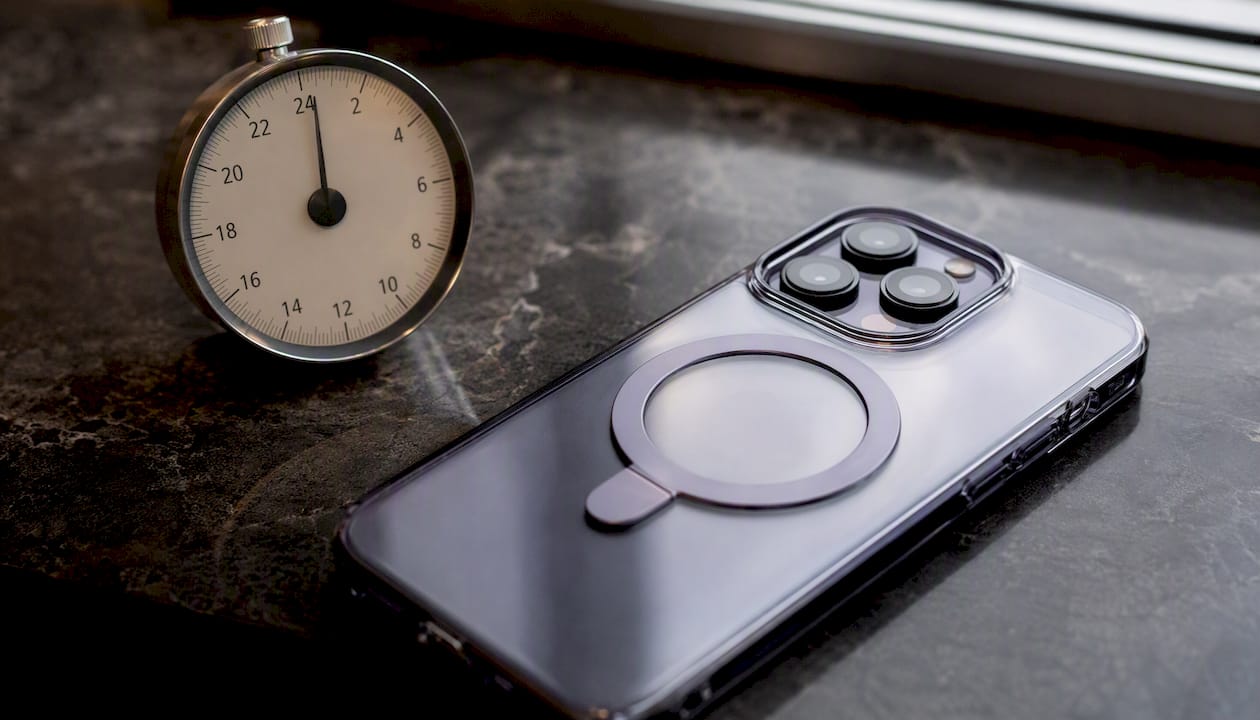
Yes, but it does a different job. A metal plate or disc has no magnets of its own. It gives a magnetic accessory something to grip, but it won’t help a bare MagSafe charger align or charge, since there’s no magnetic pull drawing the two together. Think of it as a landing pad rather than an anchor.
That distinction shapes where it’s useful. A metal disc suits situations where you already own a magnetic mount, wallet, or car holder and just need your case to accept it, without needing a proper charging snap.
Installation differs slightly from a ring:
- Clean and, if needed, lightly abrade the surface exactly as you would for a ring.
- Choose your placement: stuck to the exterior of your current case, tucked inside a thin clear case before you fit it, or applied directly if you’re using a very slim shell.
- Dry-fit against your usual magnetic accessory to confirm position before committing to adhesive.
- Press and hold as with a ring, then leave to cure.
- Slim profile: A metal disc adds almost no bulk, which matters if you use a snug-fitting sleeve or pocket case.
- Lower cost: Plates are typically cheaper than a full magnetic ring kit.
- Weaker hold: Without its own magnets, a plate depends entirely on the accessory’s magnet strength, so heavier mounts can pull free more easily.
- No charger benefit: A MagSafe charger placed on a plate alone won’t snap into position the way it does with a magnetic ring.
Choose a plate when cosmetics or slimness matter more than charging convenience, or when you’re testing the idea before committing to a proper ring kit.
When should you replace the case instead of retrofitting?
Retrofitting isn’t always the sensible choice. If your case is thicker than about 4mm, made from silicone or heavily textured rubber, or coated in a way that resists adhesive, a MagSafe-certified case will save you more hassle than it costs.
- Case exceeds 4mm or is heavily textured: Adhesive rings struggle to bond and magnetic pull drops off noticeably through thicker material.
- You use MagSafe wallets or fast charging often: A properly aligned, factory-integrated case holds accessories more securely under regular strain.
- Warranty or resale matters to you: Peeling off a failed adhesive ring can leave residue or marks that affect resale value, where a certified case leaves the phone untouched.
- You want a clean, permanent solution: No adhesive to fail, no re-application in six months, no doubt about alignment.
A thin polycarbonate or TPU case is often the better base for a retrofit, but if you’re already looking at a MagSafe case built for your model, buying once tends to work out cheaper than replacing failed rings every few months.
What case materials and thickness actually work with MagSafe?
Not every case takes a retrofit well, and guessing wastes both money and adhesive. Run through this checklist before you buy a ring or plate.
Material check:
- TPU, polycarbonate and most hard plastic shells: generally good candidates, since adhesive bonds cleanly and the material doesn’t excessively dampen magnetic pull.
- Silicone, fabric-wrapped, and thick rubber cases: often problematic, either because adhesive won’t hold on the surface texture or because the material itself absorbs too much of the magnetic field.
- Leather and faux-leather cases: mixed results depending on thickness and backing material; test with a dry-fit before committing to adhesive.
Thickness check:
Case thickness is the single biggest factor in whether a retrofit succeeds, and most accessory guides converge on the same rough figure.
The 4mm rule of thumb: Cases under 4mm thick generally retain enough magnetic pull for reliable charging and accessory grip. Beyond that, both charging speed and mount security tend to fall away noticeably.
Measure your case with a ruler or set of callipers at its thickest point, usually the back panel rather than the edges. If you’re near the limit, err towards trying a ring anyway since the cost of testing is low, but keep expectations modest.
Surface and coating check:
- Fingerprint-resistant or satin-finish coatings: these low-surface-energy finishes are notorious for adhesive lifting within days unless lightly abraded first.
- Greasy or oily residues from skin contact over time: always clean thoroughly, even on a “new” case that’s been sat in a drawer.
- Deep textures, ribbing, or grip patterns: uneven surfaces leave gaps under the adhesive that weaken the bond over time.
Phone model note: coil position varies slightly between models and generations, so always dry-fit with your actual charger rather than assuming the ring sits in the same spot as a friend’s phone or an online diagram.
What should you look for when buying a MagSafe ring or plate?
Not all retrofit kits are equal, and the cheapest option on a marketplace listing is often the one most likely to peel within a month. A few checks before you buy will save a return.
- Adhesive quality: Look for kits explicitly using 3M-branded adhesive tape or an equivalent named brand rather than an unspecified “strong adhesive.”
- Ring diameter and thickness: Check it matches standard MagSafe dimensions; oversized or undersized rings misalign with the charger’s coil.
- Magnet strength vs guide-only plates: Confirm whether you’re buying a magnetic ring (works with a bare charger) or a guide plate (needs a magnetic accessory to grip).
- Installation template included: A supplied alignment template or dry-fit guide is a good sign the maker has thought about real-world use.
- Returns policy: Given how much success depends on your specific case, buy from a seller that accepts returns if the fit turns out wrong.
Price bands are fairly predictable. Single premium rings with quality adhesive and a template typically sit at the higher end of the accessory price range; multi-packs of budget rings cost less per unit but often use thinner, weaker adhesive. Metal alignment plates are usually the cheapest option of the three, reflecting their simpler construction.
Pro Tip: Watch the wording on listings. “MagSafe compatible” is a description any seller can apply to their own product, while genuine Apple certification carries the official MagSafe badge and is far rarer among aftermarket rings. Compatible doesn’t mean certified, and that gap is exactly where most disappointment starts.
For technical background on magnet strength, coil coupling and what actually determines a strong hold, resources from mobile accessory specialists cover the physics in more depth than most product listings bother to. If you decide retrofitting isn’t worth the fuss, a purpose-built MagSafe case sidesteps the whole guessing game. Buy from established marketplaces or specialist accessory retailers with clear return policies rather than unbranded listings with no adhesive spec at all.
Why won’t my retrofit ring hold or charge properly?
Most retrofit problems trace back to one of three causes: a bad bond, wrong placement, or something interfering with the connection. Work through these in order before assuming the kit is faulty.
- Test the hold with a light shake. If the ring shifts or lifts at an edge, the adhesive hasn’t bonded properly, usually from insufficient cleaning or missed cure time.
- Check position against your charger. Rest the MagSafe charger on the case and look for any gap or off-centre sit; even a few millimetres of misalignment noticeably weakens the connection.
- Rule out interference. Cards, cash, or a second magnetic accessory sitting inside a wallet case can disrupt the magnetic field between the ring and charger.
- Reapply if adhesion has failed. Peel off the old ring, clean the surface thoroughly with alcohol, lightly abrade if it’s a coated finish, and apply fresh adhesive rather than reusing the old layer.
- Weak hold: Usually adhesive failure or a case that’s too thick; re-clean and reapply, or add a thin metal spacer if your case sits right at the thickness limit.
- Misalignment: Reposition using the charger itself as a guide, letting its own magnetism pull the ring into the correct spot before you press it down for good.
- Slow or intermittent charging: Some slowdown through a case is expected, since wireless power transfer depends on the distance and material between coil and charger, not just alignment. A dramatic drop or complete stop, though, usually points to a genuine gap or a case that’s simply too thick for reliable coupling.
If none of these fixes hold after a second attempt, that’s usually your case telling you it’s not a good retrofit candidate. That’s the point to look at replacement rather than a third round of adhesive.
Are there any safety or warranty risks worth knowing?
Retrofitting is generally low risk, but a few sensible precautions are worth following.
- Keep magnetic wallets away from cards with a magnetic stripe, and be cautious around medical devices such as pacemakers or implanted defibrillators; manufacturer guidance on magnetic accessories usually recommends keeping a safe distance from such devices.
- Aftermarket rings don’t grant Apple certification and won’t appear as a recognised MagSafe accessory to your phone, so don’t expect the same optimised charging behaviour as a certified case.
- Check your case warranty before applying adhesive, since some manufacturers consider a permanent adhesive modification a voiding condition.
- Expect slower charging speeds than a fully certified setup, particularly if you’re relying on higher wattage power delivery through a retrofit ring rather than a purpose-built case.
None of this makes retrofitting a bad idea. It just means going in with realistic expectations rather than assuming a £10 ring performs identically to a certified accessory.
Why does case thickness matter more than magnet strength?
The ring’s job is often misunderstood. It’s rarely the primary magnet doing the work; instead, it guides your MagSafe charger or accessory into the correct alignment so the accessory’s own magnets can lock on properly. Get the ring in the wrong spot, and even a strong magnet in the charger won’t compensate.
Thickness is the more decisive variable, because magnetic coupling and wireless coil coupling are two separate physical effects. The ring helps the accessory find the coil, but it does nothing to improve wireless power transfer itself, which depends purely on how much material sits between the coil and the charger.
The figure often mentioned in accessory guides suggests that beyond a certain thickness, both the magnetic pull needed for a secure grip and the coil coupling needed for efficient charging tend to drop off, which is why thicker cases tend to fail on both fronts rather than just one.
You can test this at home without any special tools. Rest your case (with phone inside) flat, place the MagSafe charger on the back, and note whether it snaps into place with a firm click or simply sits there loosely. A confident snap suggests good coupling; a weak wobble suggests you’re already near the material’s limit. Measure the case at its thickest point with a ruler, and picture a simple cross-section in your head: coil, then case material, then ring, then charger, stacked like layers of a sandwich. Every extra millimetre in that stack works against you.
What actually matters when you add MagSafe to a case
Most advice online treats every retrofit ring as interchangeable, and that’s the biggest gap between what gets written and what actually works. The adhesive quality and the case’s own thickness decide success far more than which magnet strength is printed on the packaging. A £6 ring with proper 3M-grade tape on a 3mm TPU case will comfortably outperform an expensive ring badly applied to a 5mm textured shell.
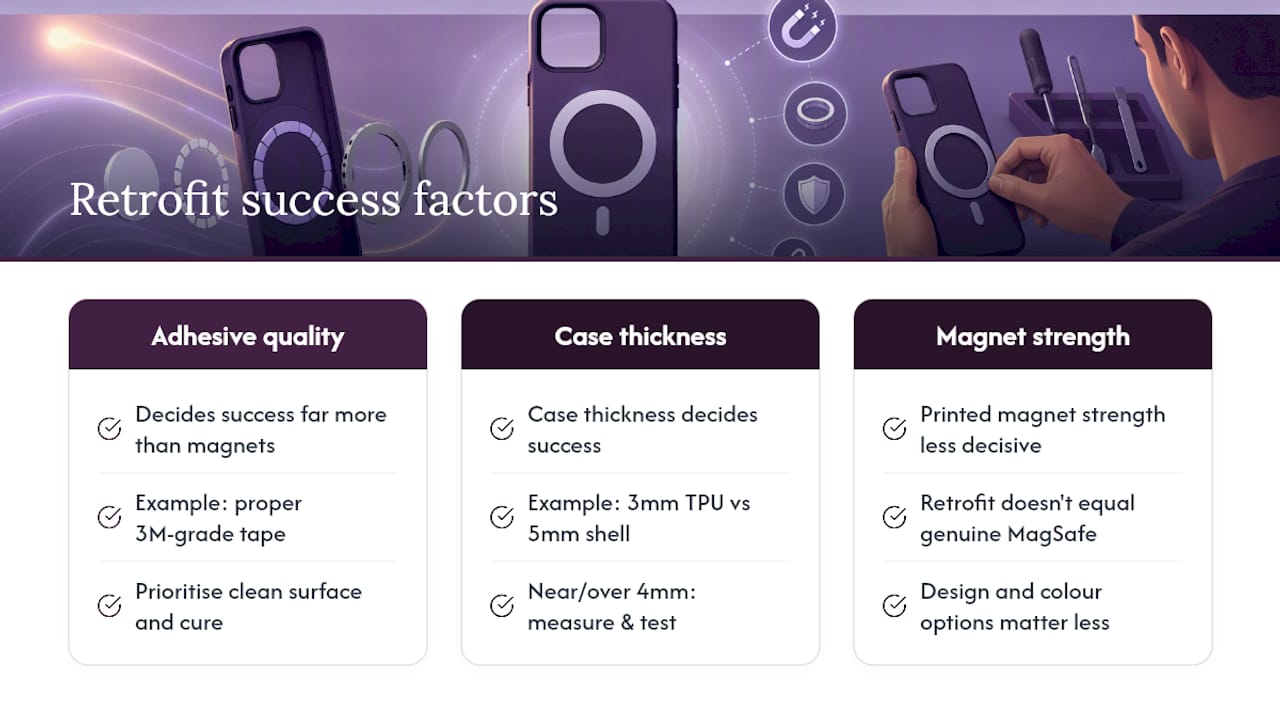
The conventional wisdom also oversells how close a retrofit gets you to genuine MagSafe performance. It doesn’t, and pretending otherwise sets people up to blame the ring when the real culprit is a case that was never a good candidate. If your case sits near or over that 4mm mark, or has any kind of grippy, textured coating, spend the ten minutes measuring and testing before you spend money on adhesive.
Prioritise the boring stuff first: clean surface, correct thickness, patience during cure time. The exciting-sounding features, magnet grade, ring design, colour options, matter far less than whether the basics were done properly.
Prefer a ready-made solution? Browse MagSafe cases instead
If retrofitting sounds like more fuss than your case is worth, buying a case built for MagSafe from the start solves the alignment problem permanently. SmartProtectors stocks MagSafe-compatible cases with the ring integrated at manufacture, so there’s no adhesive to fail, no dry-fitting, and no guesswork over whether your phone model lines up correctly.
A purpose-made case also plays nicer with accessories you use daily. If you carry cards, a wallet-style case with dedicated card slots avoids the magnetic interference issues that can crop up with bolted-on rings sitting close to stripe cards. And if your current case is on the thicker side, a slim TPU option with reinforced corners gives you the drop protection without the thickness that kills magnetic performance. Head to SmartProtectors to browse cases by model and pick one that fits your phone properly from day one.
Frequently asked questions
Can you really add MagSafe to any phone case? Not any case. It works well on thin TPU or polycarbonate cases under about 4mm, but thick, heavily textured, or coated cases usually resist both the adhesive and the magnetic pull needed for a solid connection.
Does adding a magnetic ring void my phone’s warranty? The ring sits on the case, not the phone, so it generally doesn’t affect the phone’s own warranty. Check your case’s warranty terms separately, since some makers treat adhesive modifications as a voiding condition.
Will a retrofit ring charge as fast as a genuine MagSafe case? Often slightly slower, since wireless charging speed depends on the material and gap between the coil and charger, not just alignment. A dramatic drop or complete stop usually signals a case that’s too thick rather than normal behaviour.
What’s the difference between a magnetic ring and a metal plate? A ring carries its own magnets and works with a bare MagSafe charger. A plate has no magnet and only helps a magnetic accessory grip; it won’t help a charger align or charge on its own.
How long should I wait before using the case after installing a ring? Give the adhesive at least an hour before light use, and ideally a full 24 hours before hanging anything heavy, like a car mount or wallet, off the ring.
Sources
For readers who want the technical detail behind the advice above:
- How to Make (Almost) Any Case MagSafe Compatible
- How to add MagSafe to your Android phone (and why you’ll love it)
Recommended
- Metal Shell Case For MacBook Pro 13 And Air 13.3 – SmartProtectors - High Quality Protection For Your Devices
- Marble Painted Shell Case for MacBook Air Custom Fit – SmartProtectors - High Quality Protection For Your Devices
- MacBook Protective Case for MacBook and Notebooks – SmartProtectors - High Quality Protection For Your Devices