

You don’t strictly need a case cover to use AirPods, but most owners gain real protection and convenience from one. AirPods will play music, take calls, and connect to your phone with no cover in sight. What a cover adds is insurance against the scrapes, drops, and lost-earbud moments that come with daily carrying.
- The case itself matters more than any cover on top of it. You must have the official charging case to recharge AirPods and to pair them the first time; no aftermarket cover replaces that.
- A cover just adds grip, scratch resistance, and drop protection on top of the case Apple already gives you.
If you commute, travel, or toss your AirPods into a bag with keys and coins, a cover earns its place. If they mostly live on a desk or in a jacket pocket at home, you can reasonably skip one. The checklist further down sorts that out properly, and if you land on “yes,” SmartProtectors stocks covers built to fit specific AirPods generations.
Key Takeaways
A cover is optional for AirPods to function, but it meaningfully reduces drop damage, scratches, and loss risk for anyone who carries their case daily.
| Point | Details |
|---|---|
| Case is required for charging | You need the official case to recharge AirPods and to pair them the first time. |
| IPX4 isn’t permanent | AirPods 3 and Pro models resist splashes, but that resistance degrades with wear over time. |
| Locking designs beat silicone for drops | Silicone adds grip, but only locking or hard-shell covers reliably stop earbuds ejecting on impact. |
| Check charging cut-outs before buying | Confirm port access, status light visibility, and MagSafe alignment before fitting a cover. |
| SmartProtectors sources exact fits | SmartProtectors lists model-specific AirPods covers and can source a fit for rare models on request. |
Table of Contents
- What the AirPods charging case actually does
- Can you use AirPods without the case?
- Who should get a protective cover: a quick checklist
- Types of covers and what they actually protect against
- Charging and compatibility: what to check with a cover on
- Keeping your AirPods and case in good condition
- Finding the right SmartProtectors cover for your AirPods
- What I’d actually prioritise in a cover
- Get a cover that actually fits your AirPods
- Frequently asked questions
- Sources
What the AirPods charging case actually does
The charging case isn’t just a box for your earbuds. It handles four jobs that a cover cannot replace:
- Charging — the case holds its own battery and tops up the AirPods whenever they’re docked.
- Pairing — opening the lid near your phone triggers the setup process; without the case, first-time pairing doesn’t happen.
- Firmware updates — updates typically install while the AirPods sit in the case and connect to a paired device, so leaving the case at home for long stretches can delay them.
- Storage and Find My support — the case is what most people actually lose, and Find My tracks it as a single unit alongside the buds.
That last point matters more than it sounds. The case has a slick, glossy finish on most models, which is comfortable in the hand but genuinely slippery, and the hinge on the lid isn’t built to survive a hard drop onto pavement. Combine a smooth case with a lid that pops open on impact, and you’ve got a decent chance of an earbud bouncing out and rolling under a car.
Newer models add another layer worth knowing about. AirPods 3 and the AirPods Pro range carry an IPX4 splash-resistance rating, meaning they can survive light rain or sweat. Older AirPods generations have no such rating at all. Even where IPX4 applies, it isn’t a permanent seal of protection.
Statistic callout: Water and dust resistance ratings degrade with age and wear, according to testing referenced by Digital Trends — the seals that give AirPods 3 and AirPods Pro their IPX4 rating aren’t designed to hold that resistance indefinitely, which is exactly why a cover adds value even on the newer, splash-resistant models.
Can you use AirPods without the case?
Yes, once they’re paired and charged, AirPods work completely independently of the case. You can leave the case in a drawer and still take calls, skip tracks, and use Siri for as long as the battery lasts, confirms Apple’s own setup guidance.
The practical limit is battery life. A single charge lasts several hours of listening depending on the model, volume, and features like noise cancellation. That’s plenty for a short run, a gym session, or an afternoon out. It’s not enough for a full day at work or a long-haul flight, where you’ll need the case at some point to top back up.
Three real risks come with leaving the case behind regularly:
- Loss — the case is what most people misplace, and without it there’s no simple way to recharge once the buds run flat.
- Faster effective drain — no case nearby means no opportunistic top-ups between calls or meetings, so you run the battery down faster over a day.
- Delayed firmware updates — if the case rarely connects to a paired device, updates queue up and install later than they would otherwise.
For a short trip to the shop, skip the case with no worries. For travel, work, or anything longer than a few hours, bring it.
Who should get a protective cover: a quick checklist
Some lifestyles make a cover close to essential. Others make it optional. Here’s how to place yourself:
- Commuters — daily contact with bags, coat pockets, and train seats means constant low-level scuffing. A cover with a decent grip cuts down on drops during the fumble to answer a call.
- Frequent travellers — cases get thrown into hand luggage next to phone chargers, coins, and keys. A hard-shell or rugged cover prevents the scratches and dents that build up over a year of flights.
- Gym users — sweat, drops onto tiled floors, and quick grabs mid-workout all favour a cover with strong grip and a snug lid.
- Parents — a case that ends up in a child’s hands benefits from a locking design that won’t pop open the moment it’s dropped.
If your AirPods mostly sit on a bedside table or a desk at home, a cover is nice to have but not necessary. The same goes for anyone who’s never had a case scratched or dropped in years of ownership.
The cost-benefit case is straightforward: most covers cost a fraction of what a replacement charging case does. Treat one as cheap insurance rather than an accessory purchase.
Pro Tip: If you’re prone to dropping things, or if your AirPods travel in a bag with keys and other hard objects, prioritise a locking or rugged design over a slim silicone one. The extra bulk is a small trade for a lid that won’t spring open mid-fall.
Types of covers and what they actually protect against
Not all covers do the same job, and picking the wrong one leaves you protected against the wrong risk.
- Silicone covers offer good grip and scratch resistance with almost no added bulk, but testing shows they don’t reliably stop earbuds ejecting during a hard drop — the lid can still pop open on impact.
- Hard-shell covers handle impact better and often include a snap or latch that keeps the lid shut, which matters more than most buyers expect.
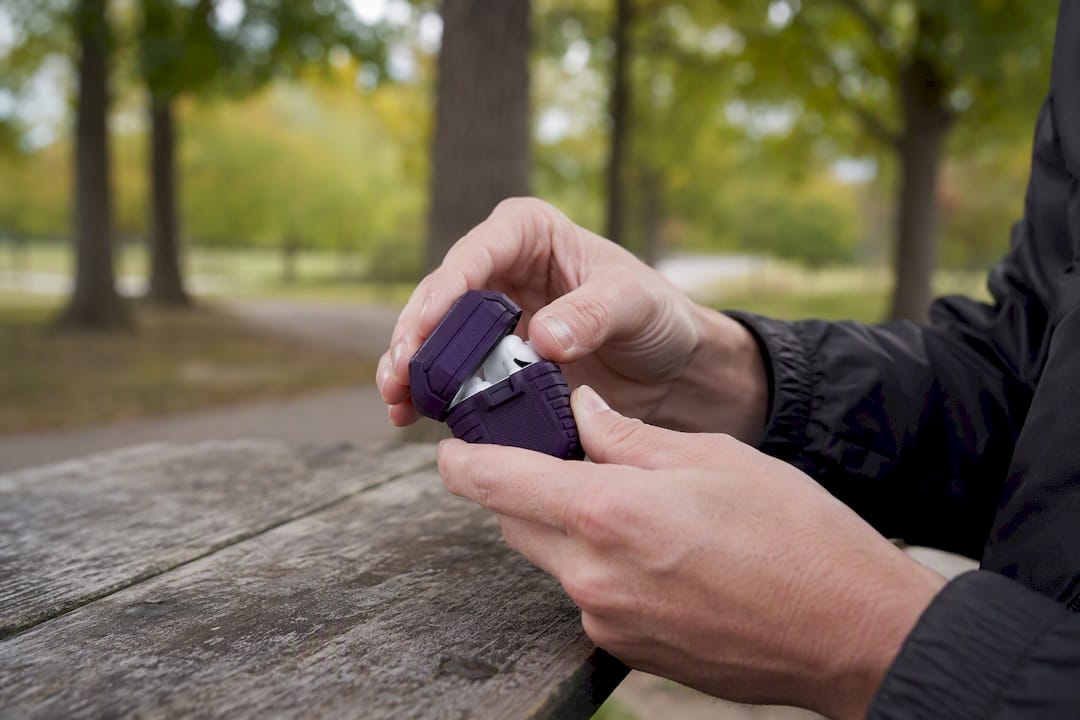
- Rugged or locking designs go a step further, actively securing the earbuds inside during a fall. Guides recommend these specifically for active users who drop their case regularly.
- Lanyards and holsters stop you losing the case entirely but do nothing for shock protection. Pairing a lanyard or tracker slot with your cover is genuinely more reliable for loss prevention than relying on Find My alone.
- Dust guards are a smaller but useful addition, keeping lint and pocket debris out of the charging contacts so the case keeps charging reliably.
A design like SmartProtectors’ fully enclosed protective case for earphones leans towards the locking end of that spectrum, sealing the lid shut rather than relying on friction alone.
Pro Tip: Before buying, check that the cover has proper cut-outs for the charging port and status light, and confirm it’s listed for your specific AirPods generation. A cover built for the wrong model will fit loosely and defeat the point of buying one.
Charging and compatibility: what to check with a cover on
A cover that blocks charging is worse than no cover at all, so a few checks before you buy save a lot of frustration.
- Wireless charging thickness — most silicone and hard-shell covers are thin enough not to interfere, but bulky rugged designs can push the case too far from the charging coil to make contact.
- MagSafe alignment — if you charge via MagSafe, confirm the cover doesn’t shift the case off-centre, since even a few millimetres of misalignment stops charging.
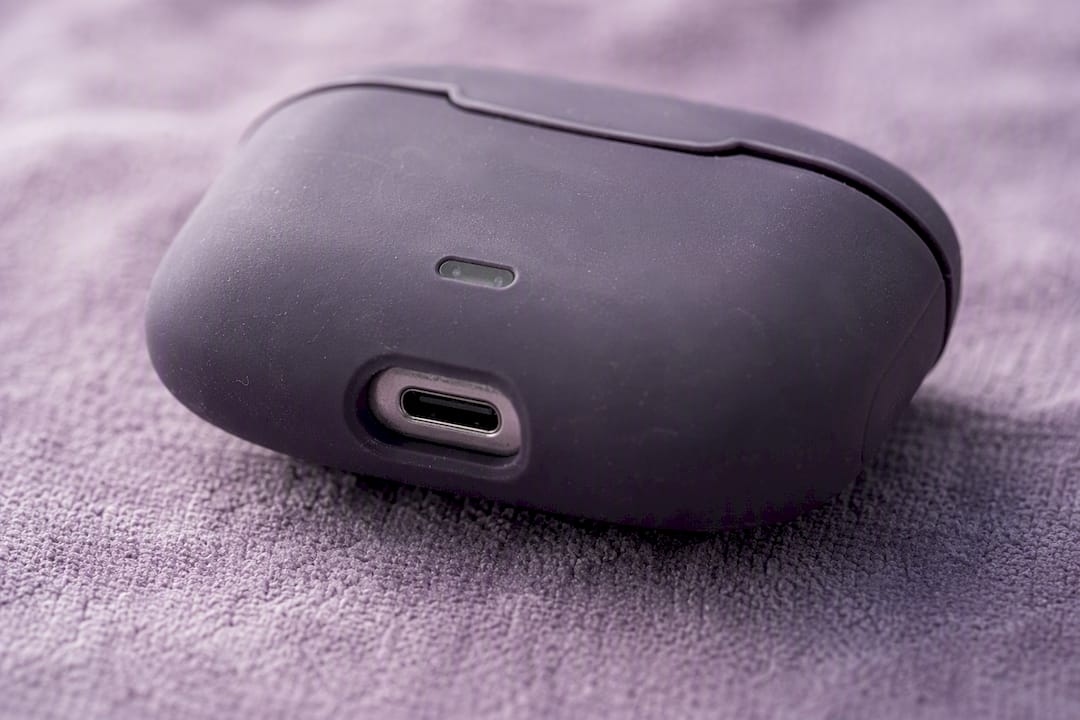
- Status light visibility — the small light on the front of the case needs a clear cut-out; some covers obscure it, making it hard to check pairing or battery status at a glance.
- Port access — USB-C and Lightning cases both need an open port; a snug-fitting cover shouldn’t need force to plug in a cable.
If charging suddenly stops working after fitting a cover, first check the cover isn’t trapping debris against the contacts, then confirm the cable or wireless pad reaches through cleanly. SmartProtectors’ wireless charging compatibility guide walks through material and thickness checks in more detail if the problem persists.
Keeping your AirPods and case in good condition
A cover doesn’t mean you can ignore the case underneath. Wipe the exterior with a dry or barely damp microfibre cloth, and never use alcohol-based cleaners near the charging contacts or hinge. Turn on Optimised Battery Charging in your settings; it slows the case’s ageing by avoiding constant full charges, which extends the battery’s usable life over the years you own it.
- Remove the cover every few weeks to check for trapped lint or moisture against the case, especially if you’ve been using AirPods outdoors or during workouts.
- Avoid charging to 100% constantly if your model supports Optimised Battery Charging.
- Keep the case out of direct sun in cars or on windowsills, where heat degrades the battery faster than normal use.
Statistic callout: Lithium batteries in devices like the AirPods case lose capacity faster when kept at full charge for long periods, which is precisely why Apple built Optimised Battery Charging into iOS in the first place.
Finding the right SmartProtectors cover for your AirPods
SmartProtectors carries protective covers built around real fit data rather than one-size-fits-most guesses, covering current and older AirPods generations alongside phones, tablets, and laptops. When browsing a listing, check three things: the exact model it’s built for, the material (silicone for grip, hard shell for impact), and whether charging ports and the status light are left uncovered.
- Confirm the listing states your specific AirPods generation, not just “AirPods case”.
- Look for mention of charging-port and status-light cut-outs in the product description.
- Check whether the design leans towards slim silicone or a locking hard shell, based on how you’ll carry it.
Can’t find your exact model listed? SmartProtectors runs a sourcing service: submit a request through the site, and the team works to add the right fit to the catalogue rather than leaving you stuck with a generic option.
What I’d actually prioritise in a cover
My own AirPods live in a bag with keys and a laptop charger most days, so grip and a locking lid matter more to me than looks. Three features I wouldn’t skip: a lid that clicks or snaps shut rather than one held only by friction, clear cut-outs for the port and status light, and enough grip texture to stop the case sliding out of a pocket. My rule of thumb: if I’d trust the cover to survive being dropped from waist height onto a pavement, it’s worth buying.
Get a cover that actually fits your AirPods
SmartProtectors is the practical alternative to hunting through generic marketplace listings that never quite confirm they fit your exact AirPods generation. Every listing on the site states the specific model it’s built for, so you’re not guessing whether the charging cut-outs or status light will line up once it arrives.
If you’ve read this far and decided a cover makes sense for how you actually carry your AirPods, start with a design that matches your risk: a fully enclosed protective case if drops are your main concern, or a slimmer option if grip and scratch resistance are enough. Can’t find your exact AirPods generation listed? Submit a request through SmartProtectors and the sourcing team will work to add it. Head to the SmartProtectors shop to check what’s currently available for your model.
Frequently asked questions
Do AirPods come with a case? Yes, every AirPods purchase includes the official charging case. That case is required for charging and initial pairing; it isn’t optional, unlike an aftermarket cover.
Is an AirPods case necessary for daily use? The charging case itself is necessary for charging and pairing. A protective cover on top of it is optional, but it meaningfully reduces scratches, drops, and loss for anyone who carries the case in a bag or pocket daily.
Are AirPods safe without a case cover? They’re functionally safe. AirPods work fine without a cover once paired. The risk is cosmetic and mechanical: a slippery finish and a lid that isn’t drop-proof mean scratches and occasional ejections are more likely without one.
Can AirPods work without their case entirely? Once paired and charged, yes. AirPods stay connected and functional independently of the case until their internal battery runs flat, at which point you need the case to recharge them again.
What’s the best type of cover for someone who drops things often? A locking or rugged hard-shell design outperforms slim silicone for drop protection, since it actively secures the lid rather than relying on friction to keep it shut.
Sources
For official charging and pairing details, see Apple’s AirPods setup guide and its troubleshooting page. For hands-on protection advice, Tom’s Guide and Digital Trends cover practical testing. Browse SmartProtectors’ full case range when you’re ready to buy.
- Are AirPods waterproof? — Digital Trends
- 5 ways to protect your new AirPods case | Tom’s Guide
- Set up and use AirPods — Apple Support
- The one good reason to buy an AirPods case — HowToGeek