

For most UK users, SmartProtectors’ full-coverage anti-glare PET film is the best anti-glare screen protector to start with. It cuts reflections in bright conditions, masks fingerprints better than glossy alternatives, and fits snugly without adding bulk. If you want physical drop protection alongside glare reduction, SmartProtectors’ anti-glare tempered glass is the stronger pick.
- Better outdoor visibility: the matte finish reduces eye strain by diffusing ambient light rather than bouncing it back at you
- Fewer fingerprints: the textured surface hides oils and smudges, so you clean less often during the day
- Low cost, easy fit: PET film is lightweight, thin, and straightforward to apply without specialist tools
Who should buy now: commuters, students, field workers, or anyone regularly using a phone or tablet near windows or outdoors.
Who should wait: colour-critical professionals (photo editors, graphic designers) who need exact colour fidelity indoors. Anti-glare coatings can subtly shift perceived sharpness — worth testing before committing.
Pro Tip: If you are unsure which material suits you, start with a PET film. It is cheaper to try, and you can always upgrade to anti-glare tempered glass once you know the matte finish works for your workflow.
Table of Contents
- What are the main types of anti-glare screen protector?
- How do you choose the right anti-glare protector?
- Does the right protector change for phones, tablets, laptops and gaming?
- How do you install an anti-glare protector without bubbles?
- Which SmartProtectors option should you buy?
- Key takeaways
- Why SmartProtectors recommends these options
- Find your anti-glare protector at SmartProtectors
What are the main types of anti-glare screen protector?
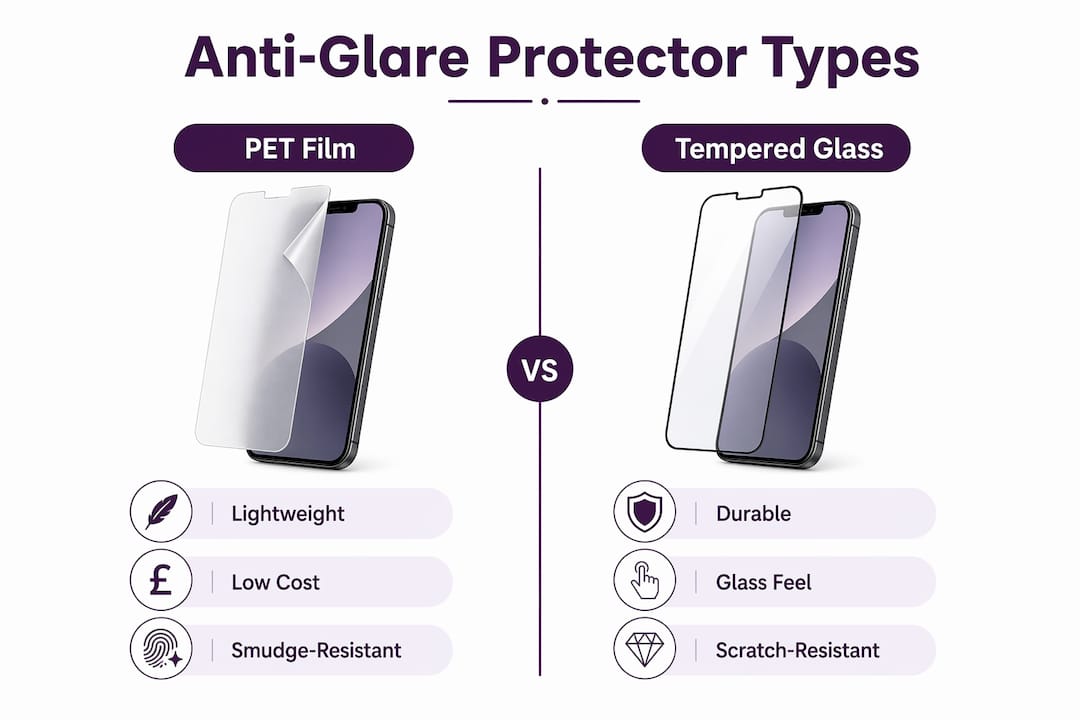
Anti-glare protectors work by giving the screen surface a fine matte texture that scatters incoming light rather than reflecting it directly into your eyes. Two materials dominate the market.
Matte PET film
PET (polyethylene terephthalate) film is thin, flexible, and the most common entry point for anti-glare protection. It sits close to the display, adds almost no thickness, and is generally the more affordable option. The textured finish does double duty: it diffuses glare and masks fingerprints and oils, which means fewer wipe-downs during a busy day.
Pros: lightweight, low cost, good smudge reduction, widely available for almost every device model.
Cons: less scratch-resistant than glass, can feel slightly different under the fingertip compared to bare glass, and may show minor rainbow shimmer at certain angles on some displays.
Anti-glare tempered glass
Tempered glass protectors add a layer of physical drop and scratch resistance on top of the anti-glare coating. They feel closer to the original screen surface and tend to hold up longer under daily wear. Some use an anti-reflective coating rather than a purely matte texture, which can preserve slightly more colour accuracy.
Pros: stronger physical protection, more durable surface, familiar glass feel.
Cons: heavier, thicker, and typically more expensive. The coating can still reduce perceived sharpness in low-light indoor settings.
Pro Tip: A matte finish does more than cut glare. Because the textured surface masks oils, you will notice far fewer visible smudges building up across the day — a practical benefit that most buyers only appreciate after switching.
How do you choose the right anti-glare protector?
Match the protector to your lighting environment and how you actually use your device. That single principle cuts through most of the confusion.
The key variables to weigh:
- Lighting profile: mostly outdoors or near bright windows? Matte PET film delivers the clearest benefit. Mostly in dim offices or studios? The colour trade-off may not be worth it.
- Touch responsiveness: gaming and stylus work demand low latency. Check product specs for touch-sensitivity ratings before buying.
- Device type: phones and tablets have different curvature and cutout requirements; laptops need precise sizing.
- Durability needs: if your device takes knocks, tempered glass earns its higher price.
- Case and stylus compatibility: confirm the protector does not interfere with case edges or stylus pressure sensitivity.
| Protector type | Typical UK price range | Best for | Watch out for |
|---|---|---|---|
| Matte PET film (single) | Affordable price range | Outdoor use, budget buyers, tablets | Less scratch resistance |
| Matte PET film (two-pack) | Moderate price range | Value, spare included | Varies by device fit |
| Anti-glare tempered glass | Moderate price range | Drop protection + glare reduction | Slightly higher cost, minor clarity shift |
| Premium anti-reflective glass | Higher price range | Professionals wanting glass feel | Colour shift in low light |
On replacement: replace a PET film when you notice visible scratches affecting readability, or when the anti-glare coating starts to look patchy or worn. Most films last six to twelve months under normal daily use. Tempered glass can last longer but should be replaced immediately after a significant impact, even if no crack is visible.
Does the right protector change for phones, tablets, laptops and gaming?
Yes, and the differences matter more than most buyers expect.
- Phones: edge curvature on modern flagships (iPhone 16 series, Samsung Galaxy S-range) means full-coverage films need precise cutouts for the front camera and sensors. A protector that sits short of the edges will lift at the corners under a case. SmartProtectors’ full-coverage PET film for iPhone 16 Pro is cut to the exact display boundary, which solves this.
- Tablets: stylus users need to check that the film texture does not create excessive drag or reduce pressure sensitivity. Some removable and reusable matte protectors are designed specifically for this: peel them off for media viewing, reapply for drawing sessions. SmartProtectors’ iPad protector range covers the most popular models.
- Laptops: larger displays amplify any alignment error. MacBook users need to align the camera notch precisely; a misaligned film on a 14-inch or 16-inch display is immediately obvious. Desktop glare reduction is a genuine benefit for anyone working near a window.
- Gaming: latency is the priority. A thick or poorly adhered film can introduce a fractional delay in touch response. Check that the product specifies minimal latency impact before buying for a gaming device.
Pro Tip: For pressure-sensitive drawing on a tablet, look for films labelled “paper-like” or “removable matte.” They give the pencil-on-paper drag that artists prefer, and you can swap back to glossy when you want vivid colour for video.
How do you install an anti-glare protector without bubbles?
Careful preparation matters far more than technique. Follow these steps and the result is almost always clean.
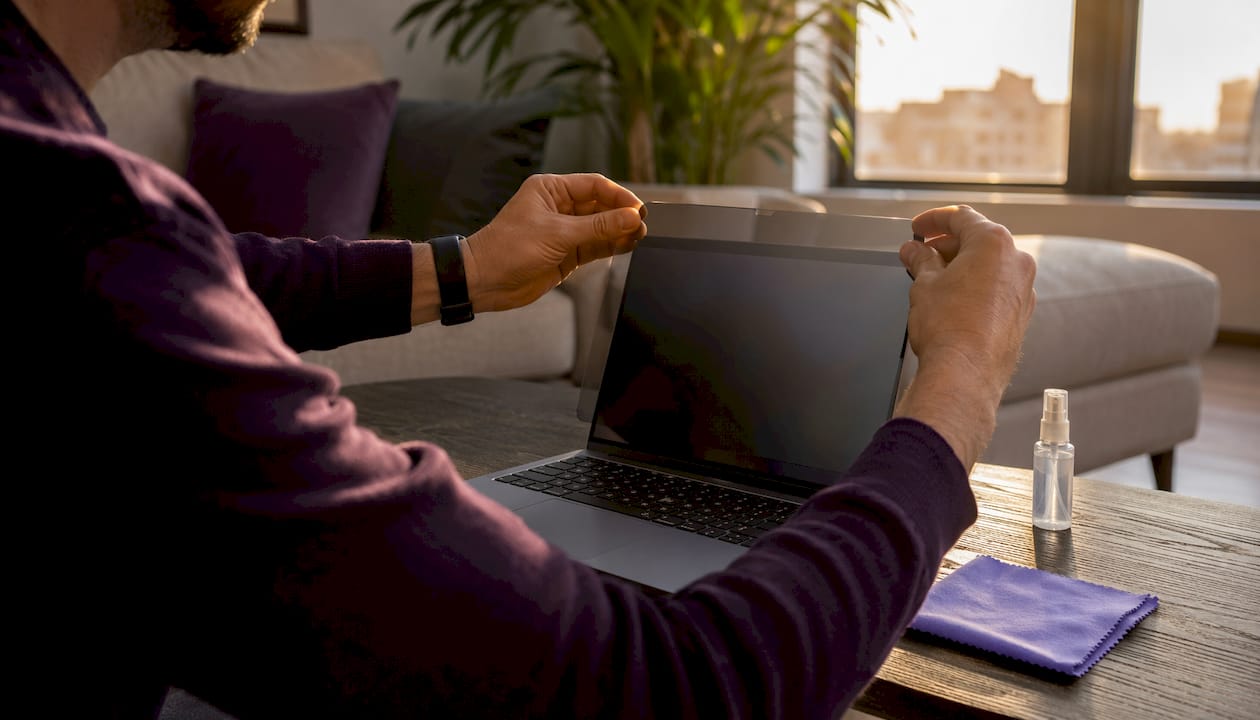
- Clean the screen thoroughly. Use the microfibre cloth included in the pack. Wipe in one direction rather than circular motions to avoid redistributing dust.
- Remove residual dust. Use the adhesive sticker (usually included) to lift any remaining particles. Do this in a low-dust room — a bathroom after a hot shower works well.
- Align before peeling. Hold the protector over the screen and check that camera cutouts, speaker grilles, and sensor holes line up before removing the backing.
- Peel and place slowly. Start from one edge and lower the protector gradually, letting it self-adhere rather than pressing it flat all at once.
- Press out any bubbles. Use the squeegee card (or a flat-edged card wrapped in the microfibre cloth) and push from the centre outward.
- Leave it to settle. Small moisture bubbles usually disappear within 24–48 hours. Air bubbles near the edges may need a gentle re-lift and re-press.
Cleaning after installation: avoid alcohol-based or abrasive cleaners on matte surfaces. A dry or lightly damp microfibre cloth is enough. Harsh cleaners strip the anti-glare coating over time.
Pro Tip: For removable protectors that you plan to reapply, rinse the adhesive side under cool water if it picks up dust, let it dry completely, and it should regain its tack.
Which SmartProtectors option should you buy?
For the majority of users, the answer is straightforward: go with SmartProtectors’ full-coverage anti-glare PET film for everyday outdoor and commuter use. It is thin, affordable, and covers the display edge to edge with precise cutouts for cameras and sensors. If you want the added reassurance of scratch and drop resistance, SmartProtectors’ anti-glare tempered glass is the upgrade.
- PET film: best for commuters, students, and anyone who spends time outdoors or near bright windows; lighter on the wallet and easy to replace
- Anti-glare tempered glass: better for users who drop their devices regularly or want a longer-lasting surface; worth the extra spend if durability is the priority
- Not sure which model fits your device? SmartProtectors stocks protectors for a wide range of phones, tablets, smartwatches, and laptops, including less common models. If your device is not listed, you can submit a request and the team will source it.
Browse the SmartProtectors catalogue and search by device model to find the exact fit.
Key takeaways
Anti-glare PET film is the best starting point for most UK users: it cuts outdoor reflections, reduces fingerprints, and costs less than glass alternatives.
| Point | Details |
|---|---|
| Match protector to lighting | Matte film suits bright outdoor use; glossy is better for colour-critical indoor work. |
| Two main materials | PET film is thinner and cheaper; anti-glare tempered glass adds drop protection. |
| Touch and stylus users | Check latency specs and consider removable matte films for pressure-sensitive drawing. |
| Installation care | Clean thoroughly, align cutouts first, and allow 24–48 hours for bubbles to clear. |
| SmartProtectors range | Stocks full-coverage anti-glare PET film and tempered glass for phones, tablets, and laptops, with a sourcing service for unlisted models. |
Why SmartProtectors recommends these options
There is a tendency in screen-protector buying guides to treat every product as broadly equivalent and let price do the deciding. That undersells how much the finish type actually changes your daily experience. A matte protector on a phone used mostly indoors in a dim flat can make the display look washed out and slightly soft. The same protector on a tablet used on a sunny commute is genuinely transformative. The recommendation here is not “buy anti-glare” as a blanket rule. It is: buy it when your lighting environment justifies the colour trade-off, and choose the material that matches how hard your device works.
SmartProtectors publishes full specification sheets for each protector, including material type, surface finish, hardness rating, and compatibility lists by device model. Warranty and returns policies are clearly stated on every product page, so you are not guessing about what happens if the fit is wrong. On sustainability: PET film uses less raw material than glass, and SmartProtectors keeps packaging minimal. If you are weighing environmental impact alongside performance, film has a lighter footprint than glass across its lifecycle.
For readers who want to go deeper on material differences before buying, the screen protector types guide on the SmartProtectors site covers the full range in detail.
Find your anti-glare protector at SmartProtectors
SmartProtectors makes it straightforward to find the right fit without trawling through generic listings. Search by your exact device model on the SmartProtectors store and the catalogue returns only the protectors confirmed compatible with that screen.
Each product page includes a compatibility table, installation guide, and details on the finish and hardness. If your model is not yet listed, submit a sourcing request and the team will add it. For questions about fit, returns, or installation, customer support is available directly through the site. A screen protector film collection is also available from retail partners if you prefer to browse in-store options alongside.