

Dust under a screen protector is fixable without buying a replacement. Lift one corner gently, use adhesive tape to dab away particles, then reapply. Done carefully, the whole process is quick and leaves your screen looking clean.
How to remove dust under a screen protector
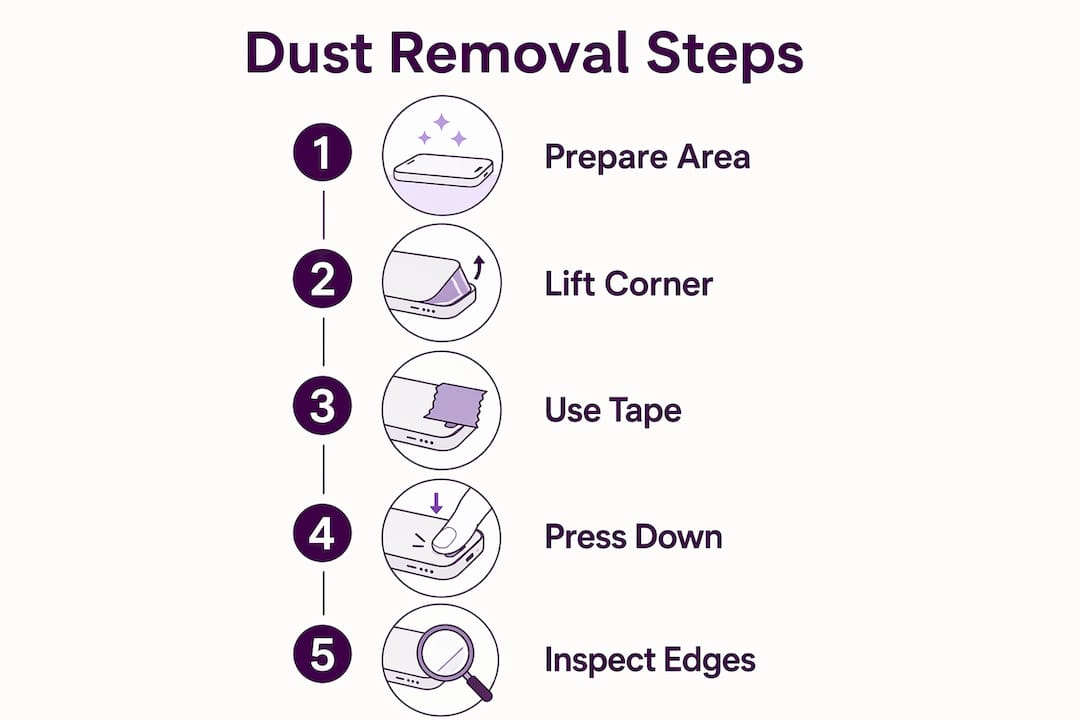
Follow these steps in order. Rushing any of them is where things go wrong.
- Prepare your environment first. Work in a bathroom after running a hot shower. The steam settles airborne particles and keeps them from landing back on your screen mid-process.
- Lift only a corner. Use a thin plastic pick or an old membership card to ease up one edge. Never use metal. Keep the angle shallow to protect the adhesive.
- Use fresh adhesive tape, sticky side up. Dab the tape against the dust on your screen or the protector’s adhesive side. Use a new piece for each particle. Worn tape loses stickiness and can leave residue behind.
- Use compressed air sparingly. Short bursts only, can held upright. Never tilt or shake the can or you risk spraying liquid propellant onto the screen.
- Reapply with a hinge method. Align the protector along one taped edge like a book cover, then lower it in one smooth motion. Press from the centre outward to push out air.
- Avoid liquid under the protector. Isopropyl alcohol on a microfibre cloth is fine for edge cleaning only. Never apply liquid directly to the adhesive side.
Precautions and tools that actually matter
The right materials make the difference between a clean fix and a protector you have to bin.
- Wash and dry your hands before starting. Skin oils attract dust and reduce adhesion.
- Use a microfibre cleaning cloth for wiping the screen surface. Paper towels leave lint.
- Avoid lifting the protector more than a few millimetres. Excessive lifting weakens the adhesive bond permanently.
- Never blow on the screen with your mouth. Saliva causes foggy patches under the protector.
- Repeated dust removal in a non-dust-free environment degrades adhesion over time. If you have tried twice and dust keeps returning, replacement is the smarter call.
Pro Tip: Turn off fans and air conditioning before you start. Even a gentle draught carries enough particles to undo a careful reinstallation.
Tempered glass vs. plastic film: how dust affects each type
The type of screen protector you have changes how dust behaves and how you should handle it.
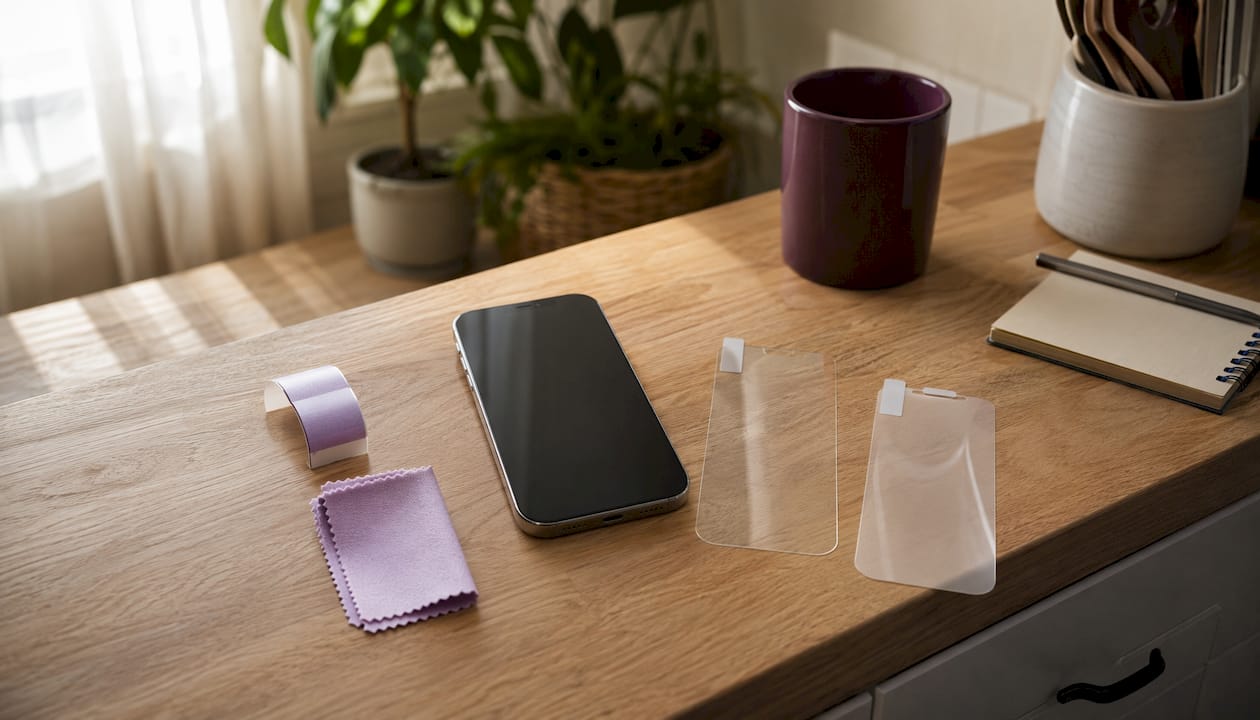
Tempered glass is rigid, so dust creates visible pressure points rather than spreading. Those points can cause micro-cracks over time and interfere with touch sensitivity. The good news is that tempered glass lifts cleanly and the tape method works well, provided the adhesive is still intact.
Plastic film is more flexible, which means dust tends to create soft bubbles rather than hard spots. Film adhesive is generally more forgiving during reapplication, but it scratches more easily, so avoid any tool with a sharp edge. Kits like the Samsung Galaxy S25 installation kit include alignment frames that reduce the chance of trapping dust during reinstallation.
Dust along protector edges reduces clarity, can cause touch lag, and accelerates lifting regardless of protector type.
Long-term tips to keep dust from creeping back
Prevention is far less effort than cleaning.
Always install or reinstall protectors in a low-dust space. A phone case that sits flush against the protector edges physically blocks dust from working its way underneath over time. Handle your device with clean hands, and keep it out of dusty pockets or open bags when possible.
Inspect the edges every couple of months under a bright light. Catching a small lift early means a quick press-down fix rather than a full removal. If you spot persistent lifting at the corners, address it immediately before debris accumulates underneath.
Key takeaways
Removing dust from under a screen protector requires a clean environment, adhesive tape, and a gentle partial lift. Rushing or using the wrong tools causes more damage than the dust itself.
| Point | Details |
|---|---|
| Environment matters most | Work in a steam-filled bathroom to keep airborne dust settled during reinstallation. |
| Use fresh tape every time | Worn adhesive tape leaves residue and fails to lift particles cleanly. |
| Lift minimally | Raising the protector only a few millimetres preserves the adhesive bond. |
| Know when to replace | Repeated failed attempts in poor conditions degrade adhesion; a new protector is the better option. |
| Prevent with a case | A snug case presses protector edges down and blocks dust from entering over time. |

SmartProtectors stocks screen protectors and device cases for a wide range of smartphones, tablets, smartwatches, and laptops, including hard-to-find models. If your device is not listed, submit a sourcing request and the team will add it to the catalogue.