

Most rainbow effects on phone screen protectors come down to one thing: a thin layer of air trapped between the protector and your display; to find a durable solution, consider cell phone screen protectors from Metro Lock & Key that offer full coverage and better adhesion. That air gap creates what physicists call Newton’s rings, a form of thin-film interference where light waves bounce between two surfaces and produce iridescent colour patterns. The fastest reliable fix is to reseat the protector or replace it with a full-adhesive tempered glass that bonds across the entire display surface.
TL;DR: Check whether the rainbow is advertised (holographic film) or accidental (air gap). If accidental, try gentle pressing first, wait up to 72 hours, then replace with a full-adhesive protector if it persists.
Quick next steps:
- Check your product listing or packaging. If “holographic” or “iridescent” appears anywhere, the effect is intentional.
- Apply gentle, even pressure across the protector with a soft card to push out micro-gaps.
- If nothing changes after 72 hours, replacement is the right call.
Table of Contents
- What physically causes the rainbow effect on a screen protector?
- How to tell if the rainbow is intentional or a defect
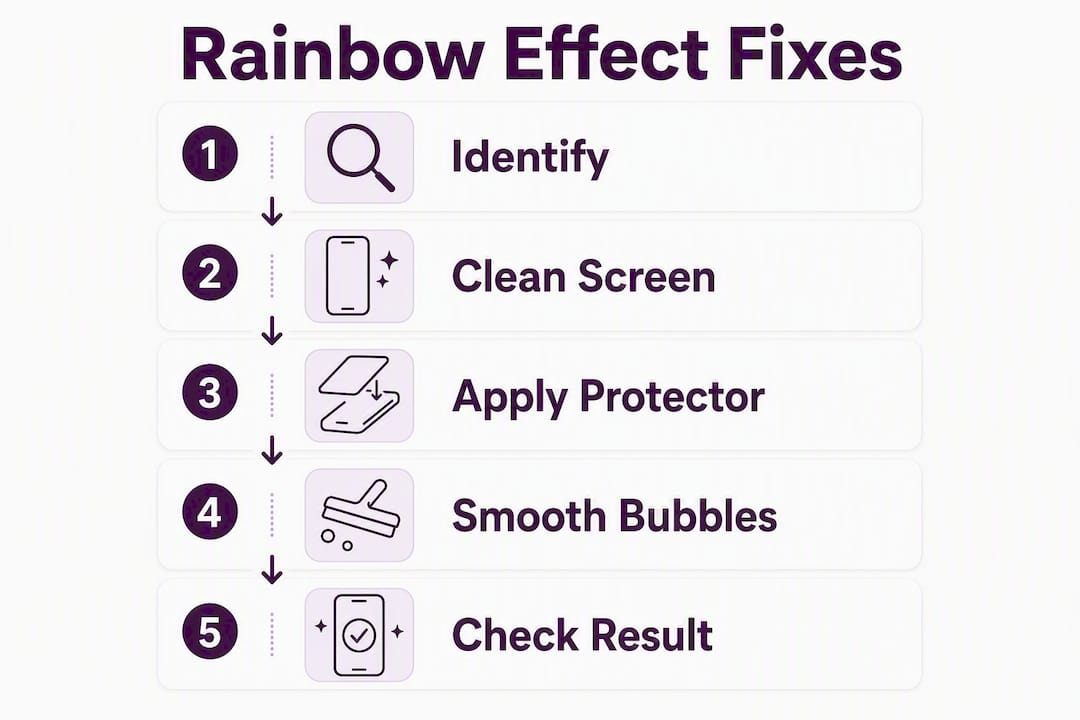
- Step-by-step fixes to remove the rainbow effect
- Which types of screen protectors avoid the rainbow effect?
- Will the rainbow go away on its own, and when should you ask for a refund?
- Why full-adhesive protectors normally eliminate the rainbow
- Key takeaways
- The rainbow effect reveals a bigger problem with how protectors are sold
- Get a protector that actually fits your screen
- Useful sources
What physically causes the rainbow effect on a screen protector?
Thin-film interference is the root cause of most accidental rainbow patterns. When a microscopic air gap sits between the protector’s inner surface and your phone’s glass, light waves reflecting off each surface interfere with one another. Depending on the gap’s thickness at any given point, different wavelengths cancel out or amplify, producing those shifting bands of colour. It is the same physics behind soap bubbles and oil on wet tarmac.
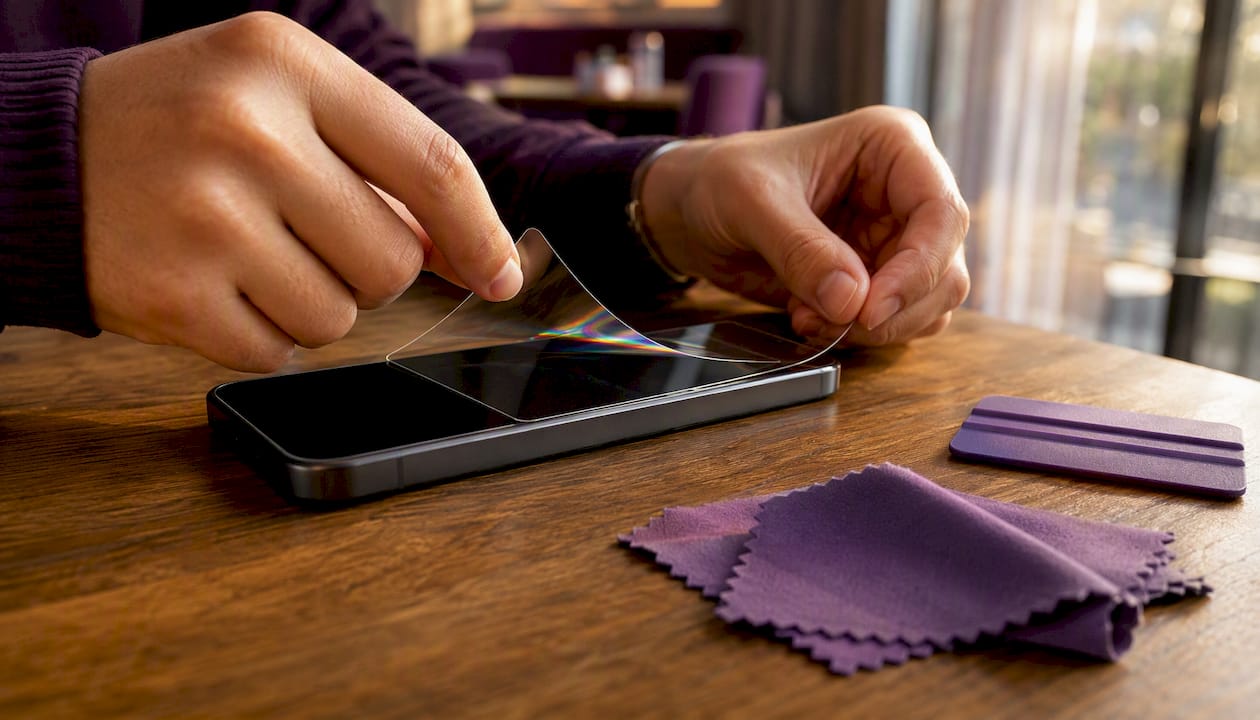
The most common design culprit is edge-only adhesive. Many tempered glass protectors bond only around their perimeter, leaving the central area floating above the display. That unbonded centre is where Newton’s rings appear most often, typically as a soft, shifting blob of colour rather than a sharp pattern.
Pro Tip: Ambient temperature and humidity affect how quickly adhesive flows and settles. A cold room can slow the process considerably. If you applied your protector in winter, move the phone somewhere warmer before concluding the effect is permanent.
Other physical causes worth checking:
- Polarisation interactions. Viewing your screen through polarised sunglasses can produce apparent rainbow banding that has nothing to do with the protector’s adhesive. Polarised lenses interact with the display’s own polarisation layer and anti-reflective coatings, creating colour effects visible only through the glasses.
- Anti-glare (matte) coatings. These micro-textured surfaces scatter light and can produce a faint colour shift, especially on OLED displays with strong polarisation.
- Multi-layer decorative films. Some products use multiple thin layers specifically to create a colour-shifting appearance. These are sold as holographic or iridescent screen covers and are a deliberate design choice, not a defect.
- Dust or moisture at installation. Even a single dust particle under the protector creates a localised air pocket that radiates Newton’s rings outward.
How to tell if the rainbow is intentional or a defect
Check the product listing or packaging first. If the words “holographic,” “iridescent,” or “colour-shifting” appear in the product name or description, the rainbow is the point. Holographic hydrogel films use multi-layer reflection to produce a colour-shifting appearance while still offering scratch resistance. Decorative static-cling films work similarly, creating prismatic effects as an aesthetic feature rather than a side effect.
Quick visual checks to distinguish the two:
- Pattern coverage. A repeating, uniform shimmer across the whole surface points to an intentional holographic design. Localised blobs, rings, or patches near the centre or edges suggest an accidental air gap.
- Angle test. Tilt the phone slowly. An intentional iridescent film shifts colour smoothly and evenly. An accidental Newton’s ring pattern tends to move, stretch, or change shape as the gap geometry changes.
- White-screen test. Open a blank white page or notes app. Accidental rainbows are most visible on white backgrounds; intentional holographic effects look the same regardless of screen content.
- Sunglasses test. Put on polarised sunglasses and look at the screen. If the rainbow appears or intensifies only through the glasses, the cause is polarisation interaction, not the protector’s adhesive.
Curved-screen phones are particularly prone to accidental rainbows. An edge-adhesive protector designed for a flat display will lift away from a curved surface at the centre, creating exactly the air gap that produces Newton’s rings.
Step-by-step fixes to remove the rainbow effect
Try non-destructive fixes first, then move to replacement only if the effect persists.
- Clean the edges. Use a lint-free cloth to wipe around the protector’s perimeter. Dust or grease at the edges can prevent the adhesive from seating fully.
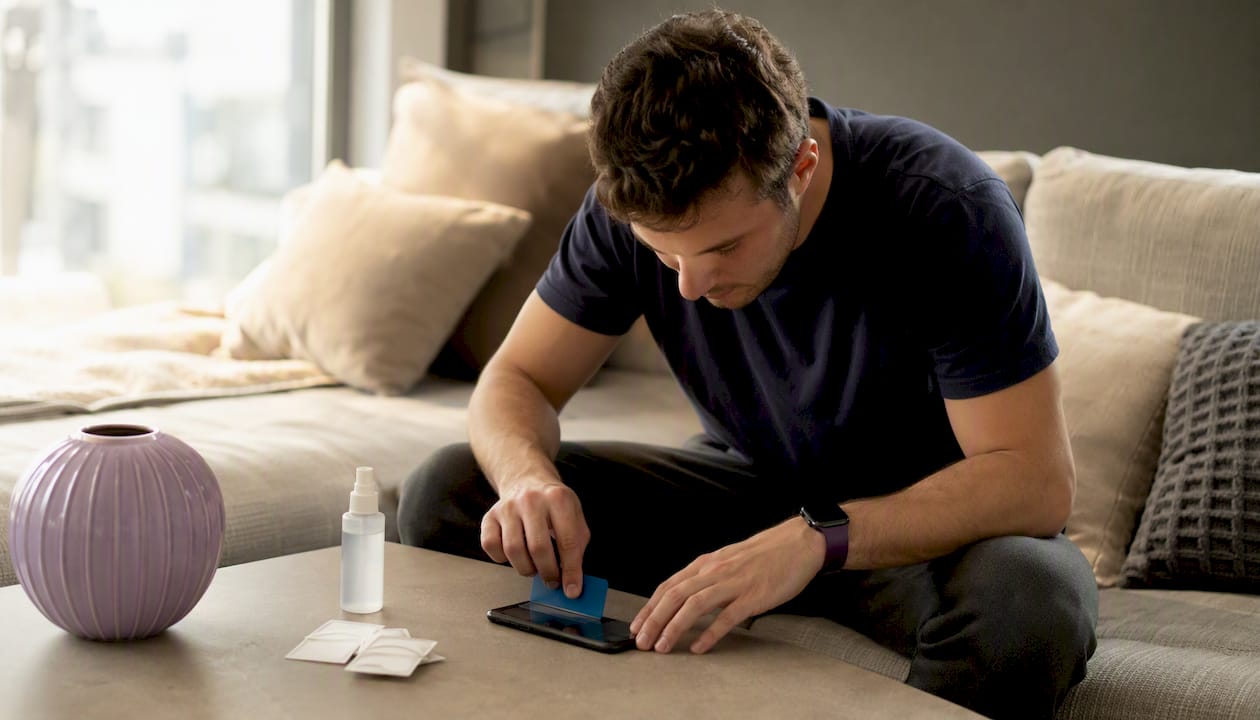
- Apply gentle, even pressure. Place a soft card (a loyalty card wrapped in a microfibre cloth works well) flat against the protector and push from the centre outward in slow strokes. This forces the adhesive into closer contact with the display. Never use your fingernail directly.
- Reseat the protector. If pressure alone does not help, carefully lift one corner using a piece of tape rather than a fingernail, let the adhesive breathe for a few seconds, then lay it back down slowly to avoid trapping new air.
- Allow settling time. Leave the phone in a warm room (not hot) for up to 72 hours. Small temperature increases help adhesive flow into micro-gaps. Check again before concluding the fix has failed.
- Test with a white screen. After each step, open a white background to see whether the pattern has reduced. Photograph the result at multiple angles for your records.
- Peel and reapply only in dust-free conditions. If you decide to reapply, do it in a steamy bathroom (steam settles airborne dust) and use the installation kit if one was supplied. Guidance on removing dust safely before reapplication is worth reading before you attempt this.
- Replace if persistent. If the pattern is unchanged after 72 hours and reseating, the protector is structurally incompatible with your screen’s curvature. Replacement with a full-adhesive option is the correct next step.
When to stop and replace: A rainbow that has not changed after 72 hours of settling and one careful reseating attempt is almost certainly a permanent fit issue, not a temporary adhesive problem. Continuing to press or peel risks damaging the oleophobic coating on your phone’s glass. Avoid solvents entirely — acetone will strip the coating permanently.
Pro Tip: The installation tool included in many protector kits is not just for alignment. The squeegee or card tool is designed to apply the right amount of pressure without scratching. Use it in slow, overlapping passes from the centre outward rather than a single firm swipe.
Which types of screen protectors avoid the rainbow effect?
Prefer full-adhesive protectors or properly matched hydrogel films for curved screens. That single rule eliminates the vast majority of accidental rainbow problems.
Full-adhesive tempered glass bonds across the entire display surface, removing the central air gap that produces Newton’s rings. Look for the terms “full glue” or “full coverage” in the product specification. SmartProtectors’ full-adhesive range, including the Imak Pro for iPhone 15, uses continuous adhesive specifically to address this problem.
Here is how the main protector types compare on rainbow risk:
| Protector type | Rainbow risk | Notes |
|---|---|---|
| Full-adhesive tempered glass | Low | Bonds across full surface; eliminates central air gap |
| Edge-adhesive tempered glass | High | Central area unbonded; most common cause of Newton’s rings |
| Hydrogel film | Low to medium | Flexible; conforms to curves, but can show texture under bright light |
| Anti-glare (matte) film | Medium | Micro-texture reduces glare but can produce faint colour shift on OLED |
| Holographic / iridescent film | Intentional | Rainbow is the product’s feature, not a defect |
Anti-glare protectors deserve a specific note. The matte coating reduces screen glare effectively, but on OLED displays the micro-texture can interact with the polarisation layer to produce a subtle colour cast. It is not Newton’s rings, but it can look similar. If colour accuracy matters to you, a clear full-adhesive glass is the safer choice.
Practical checklist when buying:
- Look for “full glue” or “full surface adhesive” in the spec, not just “full coverage” (which sometimes refers only to screen-edge reach).
- Confirm the protector is cut specifically for your phone model, including any camera cutout shape. A generic cut on a curved phone is a recipe for edge lifting.
- Check whether an installation kit is included. A proper alignment frame and squeegee card reduce trapped air during application.
- Read the returns policy before buying. A seller confident in their product will offer straightforward replacement if the fit is wrong.
Pro Tip: For curved-screen phones, hydrogel films often outperform tempered glass on rainbow avoidance because they flex to match the display contour. The trade-off is slightly less impact resistance. If you want glass-level hardness on a curved screen, look specifically for a full-coverage tempered glass with an installation tool designed for your exact model.
Will the rainbow go away on its own, and when should you ask for a refund?
Some rainbows do disappear without intervention. Moisture trapped during installation, or adhesive that has not yet fully flowed across the surface, can resolve within 24–72 hours as the phone warms through normal use. Small pressure changes and ambient temperature rises help adhesive close micro-gaps during this period.
Signs the rainbow is temporary:
- The pattern is faint and shifts position when you press gently on the protector.
- It appeared immediately after installation and has been slowly reducing.
- The effect is most visible in cold conditions and less obvious when the phone is warm.
Signs it is permanent and you need a replacement:
- The pattern has not changed after 72 hours of normal use in a warm environment.
- Concentrated rings appear near the centre or along one edge and do not move under gentle pressure.
- The protector visibly lifts at the edges, indicating a curvature mismatch.
When contacting the seller, document the issue before you do anything else. Photograph the phone on a white background at multiple angles so the pattern and its position are clearly visible. Sellers and manufacturers typically request exactly this kind of evidence before processing a replacement or refund. Keep the original packaging and your proof of purchase. Under UK consumer rights, goods must be fit for purpose; a screen protector that produces permanent optical distortion is a reasonable basis for a return or replacement request.
Why full-adhesive protectors normally eliminate the rainbow
Full-surface adhesive prevents the central air gap and therefore removes the thin-film interference that creates Newton’s rings. That is the mechanism in plain terms: no air gap means no two surfaces for light to bounce between, so no interference pattern forms.
Microscopically, Newton’s rings require a thin film of air with a thickness comparable to the wavelength of visible light (roughly 400–700 nanometres). Full-adhesive bonding fills that space with adhesive material, which has a refractive index close enough to glass that the interference conditions are not met. Edge-only adhesive leaves the central area separated by exactly the kind of thin air film that produces the effect.
| Adhesive type | Air gap present? | Newton’s rings possible? |
|---|---|---|
| Full-surface (full glue) | No | No |
| Edge-only | Yes (centre) | Yes |
| Hydrogel (conforming) | Minimal | Rarely |
A simple comparison test: place an edge-adhesive protector and a full-adhesive protector side by side on a white screen in the same lighting. The difference in iridescence is usually visible immediately. This is also the kind of side-by-side photograph that makes a compelling replacement claim if you need to contact a seller.
Pro Tip: When shopping, search specifically for “full glue” rather than “full coverage.” Some listings use “full coverage” to mean the protector reaches the screen edges, not that the adhesive covers the full surface. These are different things, and only full-glue adhesive eliminates the air-gap rainbow.
Key takeaways
Most accidental rainbow effects on screen protectors are caused by an air gap between the protector and the display; replacing with a full-adhesive protector reliably eliminates the problem.
| Point | Details |
|---|---|
| Check intentionality first | If the listing says “holographic” or “iridescent,” the rainbow is a feature, not a fault. |
| Try non-destructive fixes | Gentle pressing with a soft card and 72 hours of settling time resolve many adhesive-related cases. |
| Permanent signs need replacement | Unchanged patterns after 72 hours, edge lifting, or curvature mismatch all indicate a new protector is needed. |
| Full-adhesive is the reliable fix | Full-glue tempered glass eliminates the central air gap that causes Newton’s rings. |
| SmartProtectors full-adhesive range | SmartProtectors’ full-adhesive options are cut to model-specific dimensions, reducing both rainbow risk and fit issues. |
The rainbow effect reveals a bigger problem with how protectors are sold
Most people who contact a seller about a rainbow effect have already spent ten minutes pressing their phone with a loyalty card and another twenty minutes reading forum threads. The frustration is real, but the root cause is almost always a purchasing decision made without enough information: an edge-adhesive protector on a curved screen, or a generic cut on a model it was never designed for.
What the rainbow effect actually reveals is that protector compatibility is more specific than most listings suggest. “Compatible with iPhone 15” can mean anything from a precise model-matched cut with full-surface adhesive to a generic flat glass that barely reaches the edges. The physics does not care about the marketing copy.
The practical lesson is to treat the adhesive type and the model-specific cut as non-negotiable criteria, not optional extras. A protector that costs slightly more and is cut precisely for your device will almost always outperform a cheaper generic one, both optically and in terms of longevity. The rainbow effect is the most visible symptom of a poor fit, but edge lifting, reduced touch sensitivity, and premature peeling are the same problem showing up differently.
If you have already gone through the troubleshooting steps above and the rainbow persists, do not waste more time on a protector that was never going to work on your screen. The types of screen protectors guide at SmartProtectors covers the full range of options if you want to understand the trade-offs before buying again.
Get a protector that actually fits your screen
SmartProtectors stocks full-adhesive tempered glass protectors cut to model-specific dimensions across a wide range of smartphones, tablets, and smartwatches, including hard-to-find models. The full-glue construction means continuous adhesive contact across the entire display surface, which is the single most reliable way to prevent the air-gap rainbow from appearing in the first place.
If your device is not listed, submit a sourcing request and SmartProtectors will find and add the right product to the catalogue. No guesswork on compatibility, no generic cuts. Browse the full range at SmartProtectors and find the exact-fit protector for your device.
Useful sources
- Circuit Planet: How to eliminate the rainbow effect when installing tempered glass screen protectors — practical installation guidance and explanation of thin-film interference in protectors.
- Litoscreen: Why is there a rainbow effect in tempered glass screen protectors? — covers Newton’s rings, curvature mismatch, and when replacement is necessary.
- 2nu Vision: Why sunglasses make phone screens look rainbow — explains polarisation interactions between lenses and display coatings.
- Apple Discussions: Rainbow effect on iPhone 16 Pro screen protector — real-world user reports of the effect on a current device model.
- SmartProtectors: Types of screen protectors and how to choose — buyer’s guide covering protector types, adhesive designs, and compatibility criteria.
- SmartProtectors: Dust under screen protector — how to fix it safely — installation troubleshooting guide relevant to reseating and dust removal.