

An alignment frame is the fastest way for a DIY user to get repeatable, near-perfect placement on a rigid screen protector. It holds the glass in a fixed position over the screen, so the film drops into place instead of drifting off centre or trapping a bubble. Alignment frames earn their keep most on edge-to-edge tempered glass and for anyone who has fluffed a freehand install before. Get one right, and you rarely see dust, bubbles, or wasted protectors again.
TL;DR:
- Alignment frames ensure precise, repeatable placement for edge-to-edge tempered glass, significantly reducing dust, bubbles, and improper adhesion during installation.
- Reusable professional moulds offer micrometre-level accuracy but are overkill for occasional DIY users, who should opt for model-specific or disposable frames for better fit and ease.
- Proper preparation, including thorough screen cleaning and installing in a dust-free, humid environment, is critical for bubble-free, accurate placement even with a frame.
- Small misalignments and bubbles can often be fixed within seconds after placement by gently reseating or pushing trapped dust and air to the edges before the adhesive cures.
- Choosing protectors with built-in, device-specific frames or bundles improves first-time installation success, especially for full-coverage, edge-to-edge glass protectors.
Table of Contents
- What is a screen protector alignment frame?
- What types of alignment frames and installers exist?
- How do you install a screen protector using an alignment frame?
- How do you fix a misaligned or bubbly screen protector?
- How do you choose the right alignment frame for your phone?
- Where to buy a screen protector with a built-in alignment frame
- When should you use a frame instead of a manual install?
- Get the right protector and frame for your phone
- Sources
- FAQ
What is a screen protector alignment frame?
A screen protector alignment frame, sometimes called a screen protector installation tool or phone screen alignment jig, is a rigid guide that clips around your phone and holds the glass exactly where it needs to sit before the adhesive makes contact. Patent literature describes this mechanism using stopping plates and avoidance surfaces that pre-configure the film’s position and control how it releases onto the screen, taking most of the guesswork out of the process.
The frame typically has three working parts:
- A limiting frame that matches your phone’s outline, so the glass can only sit in one place.
- Stopping plates that catch the protector at the correct edge before it touches the screen.
- A release film path that lets you peel the backing away slowly, so the adhesive meets the glass evenly rather than all at once.
Lightweight consumer frames snap around the phone in seconds. Heavy-duty professional moulds, more common in repair shops, use aluminium construction for tighter tolerances and repeated use.
What types of alignment frames and installers exist?
Not every device or protector calls for the same tool. Four main categories cover almost every situation a DIY installer will run into:
- Consumer plastic frames. Injection-moulded and usually bundled free with a protector, these snap around your phone and guide the glass into place. They are cheap, disposable, and excellent for one or two installs, though they rarely survive being reused across a different phone model.
- Squeegee installers. These combine an alignment guide with a flexible edge, so you align and apply the adhesive in one motion. A multi-functional squeegee installer reduces creases, trapped dust, and air pockets far more consistently than a bare fingertip ever could.
- Professional alignment moulds. Aluminium bezel jigs used in repair shops for OCA lamination work offer micrometre-level repeatability, but the cost and bulk make them overkill for someone fitting one phone a year.
How do you install a screen protector using an alignment frame?
Getting this right is less about steadiness of hand and more about following the sequence in order. Skip a step, and you’ll be peeling the glass off within the hour.
- Prepare your workspace. Work somewhere with good, even lighting and a flat, dust-free surface. Have alcohol wipes, a microfibre cloth, and the dust-removal stickers that come with most kits laid out before you start.
- Clean the screen thoroughly. Wipe with the alcohol pad first, then buff with the microfibre cloth. Use a dust sticker to lift any remaining particles. This step matters more than any other. A single hair under the glass will show up as a permanent bump.
- Seat the phone in the frame. Slot the phone into the limiting frame and check that every edge and the camera cutout line up before you touch the adhesive backing. If the fit looks off at this stage, stop and reseat it. Once the film drops, you’re committed.
- Peel the release film slowly. Pull the backing away in one smooth motion, guided by the frame’s stopping plates and avoidance surfaces so the glass lowers evenly rather than slapping down all at once. Most snap-fit frames let the protector fall naturally into position without you needing to touch the glass surface at all.
- Squeegee from the centre outwards. If your kit includes a squeegee installer, use firm, even strokes starting from the middle of the screen and working towards each edge. This pushes trapped air out ahead of the adhesive rather than sealing it in.
- Check for stray bubbles and finish up. Small bubbles near the edges usually settle within a few hours as the adhesive cures. Anything larger than a pinhead near the centre needs addressing immediately, before the glue sets fully.
Pro Tip: Do your install in a steam-free bathroom after a hot shower has settled, not during one. The residual humidity in the air helps settle dust before you even open the packet, and it beats hunting for a “dust-free room” that doesn’t exist in most homes.
For a fuller run-through with photos of common mistakes, SmartProtectors’ bubble-free installation guide covers the same sequence in more depth.
How do you fix a misaligned or bubbly screen protector?
Even with a frame, things go wrong occasionally. Most problems have a fix, provided you catch them early.
- Small bubbles: push them towards the nearest edge with a squeegee or a folded microfibre cloth, working in short, firm strokes rather than one long push.
- Dust under the glass: lift the nearest edge slightly with tape, flick the dust stickers underneath, then press back down. If dust sits dead centre, you’ll usually need to start over.
- Slight misalignment: you generally have a short window, often just a few seconds, before the adhesive grips. Lift one edge gently and reseat while the glue is still workable.
- Significant misalignment on edge-to-edge glue: full-adhesive protectors bond fast and unevenly once disturbed. Trying to shift them after 30 to 60 seconds often does more damage than starting fresh with a new protector.
If repositioning has already failed and the glass has come away cleanly, SmartProtectors’ reapplication guide explains exactly how far you can push a repositioning attempt before the adhesive is no longer reliable.
How do you choose the right alignment frame for your phone?
Buying the correct tool matters more than buying an expensive one. A few practical checks will save you money and frustration:
- Match the frame to your exact model. A generic universal tray will not seat correctly on curved or edge-to-edge glass, and gaps around the frame defeat the entire point of using one.
- Check what’s included. Good kits bundle dust stickers, wipes, and sometimes a squeegee alongside the frame itself, meaning you won’t need to source extras separately.
- Weigh reusable versus single-use. A universal squeegee installer is worth owning if you replace protectors often across several devices. A disposable frame bundled with the glass makes more sense for a one-off fit.
- Favour protector-plus-frame bundles where they exist. Buying the two together, as with many protector and frame bundles sold online, removes the compatibility guesswork entirely, since the frame is manufactured to match that exact glass cut.
Material also plays into the decision. If you’re unsure whether tempered glass, PET, or hybrid acrylic suits your phone, SmartProtectors’ guide to protector types breaks down how each material behaves during installation.
Where to buy a screen protector with a built-in alignment frame
Buying a protector that already includes its own frame removes most of the risk described above, because the tray is engineered for that exact model rather than approximated for a “similar” shape.
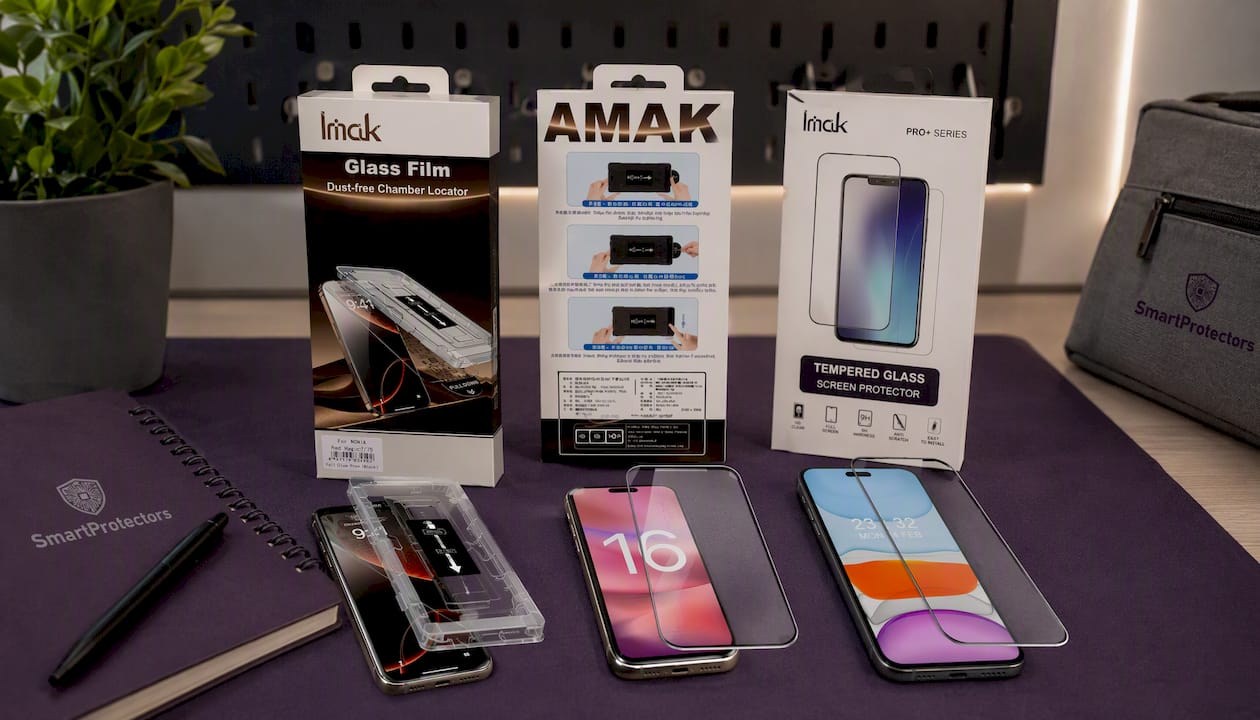
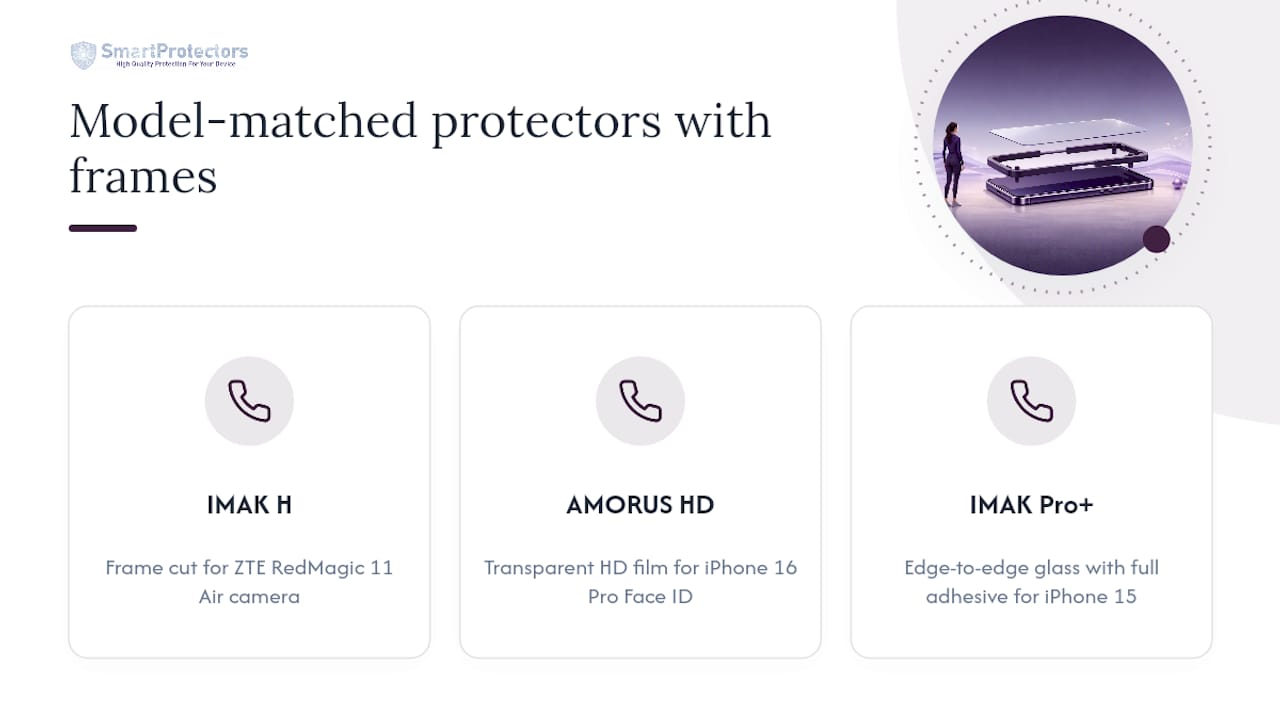
Several protectors are built around this exact idea. The IMAK H Series Tempered Glass Screen Protector with Installation Frame for ZTE nubia RedMagic 11 Air 5G pairs full-coverage glass with a frame cut specifically for that gaming phone’s camera housing. iPhone owners have two strong options: the AMORUS HD screen protector for iPhone 16 Pro offers a transparent, high-definition film suited to newer Face ID sensor layouts, while the IMAK Pro+ full screen protector for iPhone 15 is built for edge-to-edge coverage with full adhesive.
Buying the protector and frame as one unit means less wasted glass, fewer failed first attempts, and no time spent hunting for a compatible tray afterwards. If your exact device isn’t listed in the catalogue, customer service teams can sometimes source and add it on request rather than leaving you with a generic, poorly fitting alternative.
When should you use a frame instead of a manual install?
Reach for an alignment frame whenever you’re fitting full-coverage tempered glass or you simply don’t trust your hands on a first attempt. The margin for error on edge-to-edge glass is tiny, and a frame removes most of it. Flexible film protectors are far more forgiving; they can usually be repositioned by hand without a rigid guide. For deeper troubleshooting, SmartProtectors’ installation and reapplication guides cover the edge cases this article doesn’t have room for.
— Dian
Get the right protector and frame for your phone
An alternative to buying a generic universal tray and hoping it fits is choosing a system where every protector is matched to its exact device model, so the frame is cut for the phone rather than approximated for one that looks similar. That single difference is usually what separates a clean first-time fit from a wasted protector and a second trip to the shop. Alongside the phone options already covered, the catalogue extends to tablets, smartwatches, laptops, and earbuds, and partner retailers such as Refurbished Amsterdam’s screen protector range offer a similar model-matched approach if you’re browsing wider options. If your exact device isn’t listed, submitting a request through customer service may get it sourced and added rather than leaving you stuck with an ill-fitting generic kit. Browse the current range of screen protectors to find the right fit for your device and check what’s included with each listing before you order.
Sources
- Devia - Multi-Functional Squeegee Installer for Smartphones — TechPoint Distribution
- Screen Protector Alignment Frame for Controlled Release Film Pulling — Patsnap Eureka
- YCS M.Y Screen Alignment with Bracket Bonding Mold for iPhone 12-17 — DIYFixTool
FAQ
How do you perfectly align a screen protector?
Seat your phone in a model-specific alignment frame so the limiting edges match the bezel exactly, then release the adhesive backing slowly so the glass drops into place rather than being placed by hand.
How do you fix a misaligned screen protector?
Lift the nearest edge gently within the first few seconds, while the adhesive is still workable, and reseat it using the frame’s guide edges; waiting too long on edge-to-edge glue usually means starting over with a new protector.
Can you reposition a screen protector?
Yes, but only within a short window immediately after placement, and only on protectors that haven’t fully bonded; full-adhesive, edge-to-edge glass has far less tolerance for repositioning than film-style protectors.
Which way does a screen protector go on?
The printed or coated side with the pull tab faces down towards the screen, while the smooth outer surface faces up; most kits mark the correct orientation on the release film itself, and an alignment frame will only seat the glass correctly one way round.
Do all screen protectors come with an alignment frame?
No. Many budget protectors ship without one, which is why buying a protector bundled with a frame, like SmartProtectors’ IMAK Pro+ for iPhone 15, tends to give a more reliable first-time fit than a generic film alone.