

To restore oleophobic coating performance, fit a replacement screen or camera lens protector with its own oleophobic finish. This is faster and safer than trying to revive a worn factory coating, and it brings back the slick feel and easy cleaning immediately. Replace when water no longer beads on the surface or smears keep reappearing after a wipe.
TL;DR:
- Replacing a worn protector with a new one that has its own oleophobic coating quickly restores the slick feel and ease of cleaning.
- A durable oleophobic coating on tempered glass protectors is typically 0.2 to 0.3mm thick with a 9H hardness rating, ensuring clarity and long-lasting oil resistance.
- The water droplet test is the most reliable way to determine if the coating has worn out, signaling when to replace the protector.
- Alcohol-based cleaners accelerate coating wear, so daily maintenance should involve gentle, microfiber cloth-only cleaning to preserve the oleophobic finish.
- Proper installation, including careful cleaning and edge sealing, extends the protector’s oleophobic performance and minimizes coating degradation over time.
Table of Contents
- Why oleophobic coatings matter for touch feel, clarity and cleaning
- Which protector types restore an oleophobic surface and what you trade off
- How to choose a protector that actually restores and lasts
- When to replace a protector to restore the oleophobic effect
- Install and care: how to apply, clean and preserve the protector’s oleophobic layer
- Publisher perspective: why SmartProtectors recommends replacing with its protectors
- Where to buy protectors that restore the oleophobic feel
- Sources
- FAQ
Why oleophobic coatings matter for touch feel, clarity and cleaning
An oleophobic coating is a thin, oil repelling layer bonded to glass or film. It stops finger grease from spreading across the surface, which is why a fresh screen feels slicker and swipes register with less drag. Most phones and protectors ship with this coating from new, and it does three practical jobs at once:
- Beads oil and sweat into droplets instead of letting them spread
- Cuts friction so swipes and taps feel smoother and more precise
- Keeps the display clearer for longer and makes wiping smudges off nearly effortless
You can check the coating’s condition in seconds with a simple test: dab a small drop of water on the surface. On a healthy oleophobic finish, it stays rounded and beads up. If it flattens and spreads instead, the coating underneath is already breaking down, even if the screen still looks clean.
Which protector types restore an oleophobic surface and what you trade off
Two materials dominate the market, and each brings its own version of that oil repelling finish back to the surface you touch every day.
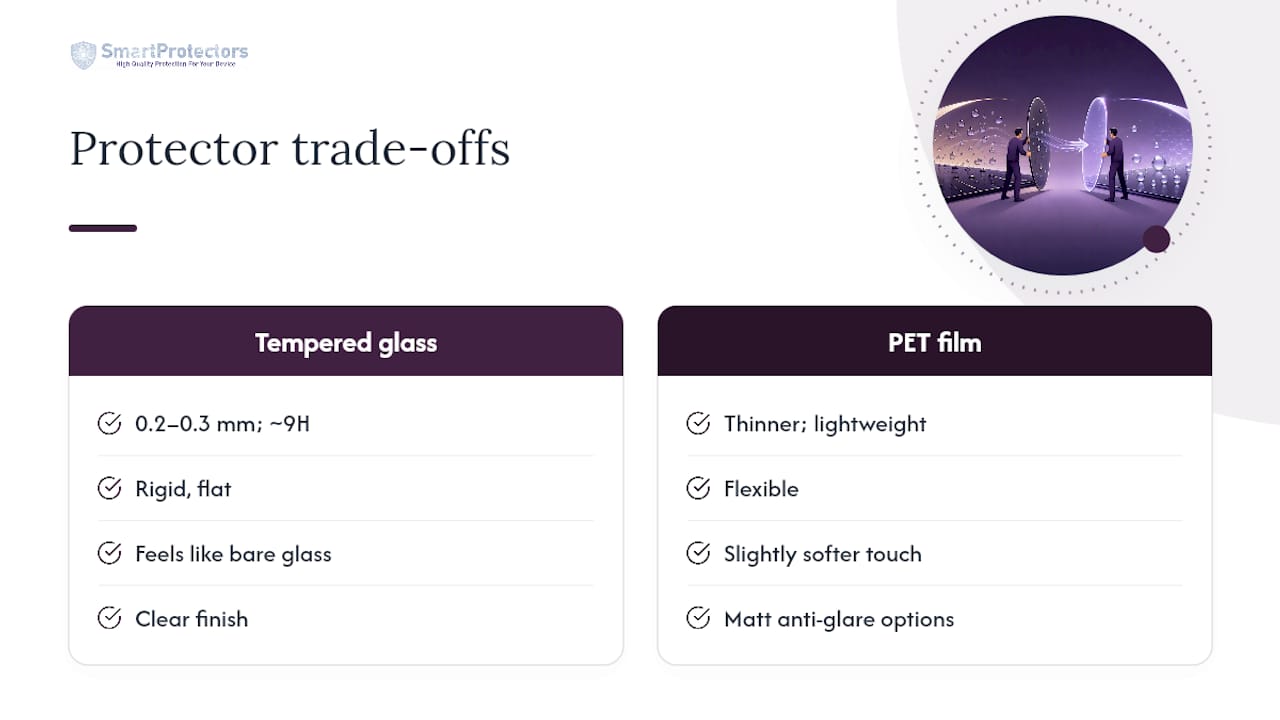
Tempered glass feels closest to bare glass because it is glass, typically 0.2 to 0.3mm thick with a hardness rating around 9H. It carries the coating on a hard, flat surface, so beading behaviour tends to stay consistent and the display keeps its clarity. A tempered glass protector with a proper oleophobic layer is generally the simplest way to restore that new-screen feel without touching the original panel underneath.
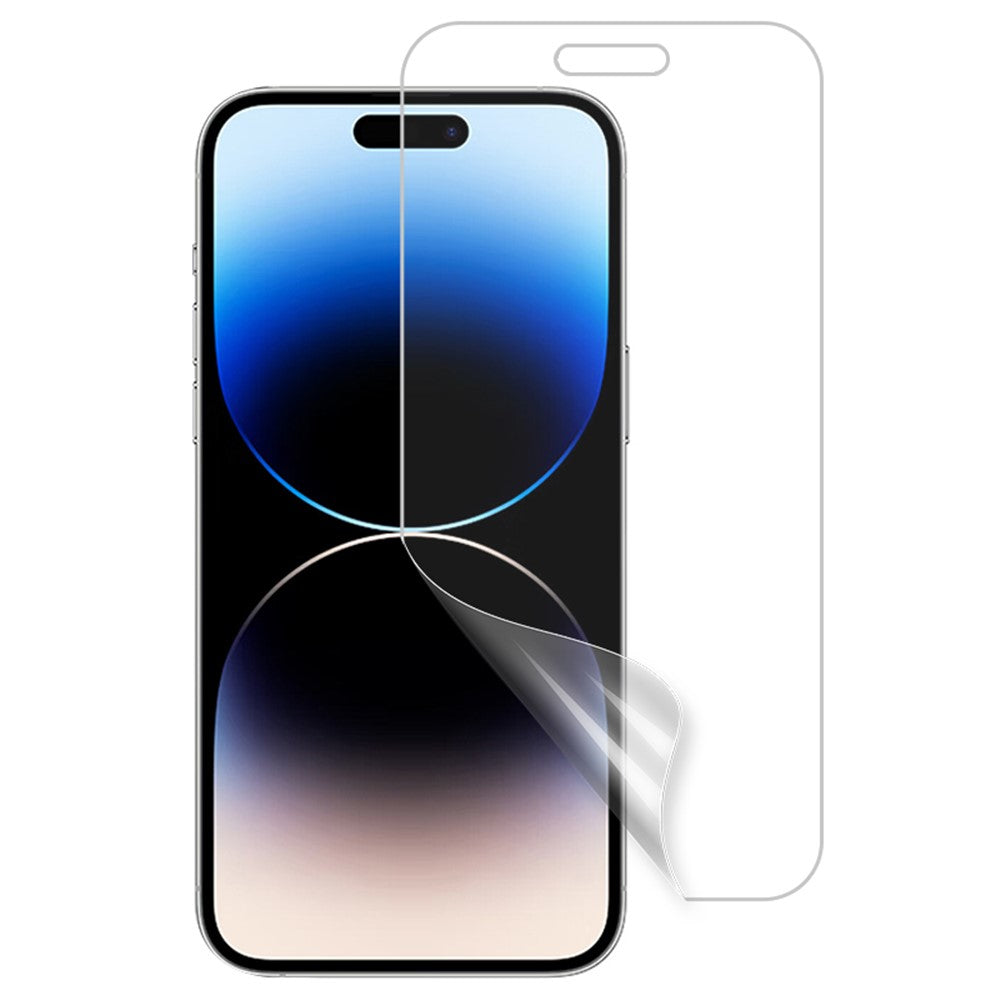
PET film is thinner, lighter and more flexible, and it opens up finishes glass rarely matches well, including matt anti-glare options that cut reflections in bright rooms. The trade-off is a slightly softer touch feel and, on cheaper films, coatings that wear faster under heavy use.
Cameras need their own answer. A dedicated lens film with its own oleophobic coating stops smudges and oily fingerprints from blurring shots, while an acrylic lens cap adds a physical barrier against knocks and grit that a film alone cannot stop.
How to choose a protector that actually restores and lasts
Not every listing that says “premium coating” is telling you much. Look for the specifics that separate a durable oleophobic surface from a marketing line:
- The word “oleophobic” stated outright, not just “anti-fingerprint” or “smooth feel”
- A named coating process where possible, such as AF, plasma, or nano coating, since these processes differ in durability and cost
- Thickness figures, typically 0.2 to 0.3mm for tempered glass
- A hardness claim, usually quoted as 9H for glass protectors
- Transmittance or clarity figures, sometimes referenced against light transmittance standards like ASTM D1003, when the listing bothers to include them
A detailed spec sheet is itself a signal. Listings that name the coating type and give thickness and hardness figures tend to come from suppliers who actually tested the product; vague “premium” language with no numbers is the red flag to watch for.
Before buying, check edge cutouts match your exact model and confirm the protector is rated as case-friendly if you use one. Whether the box includes an installation tool and full coverage adhesive also tells you something: kits like these usually mean better edge sealing, which keeps grit out and slows coating wear at the borders.
Pro Tip: If two listings look identical in photos, compare their spec sections side by side. The one that states coating type, thickness, and hardness in plain numbers is almost always the better-made product.
When to replace a protector to restore the oleophobic effect
There is no fixed expiry date on an oleophobic coating. It wears gradually, and how fast depends entirely on how the protector is used and cleaned.
Watch for these signs that it is time to swap it out:
- Water no longer beads up when you run the droplet test
- Smears reappear within minutes of wiping the screen clean
- The surface feels sticky or drags slightly under your finger
- You can see scratches, haze, or hairline cracks across the surface
Cleaning with alcohol-based sprays, wiping with anything but a soft cloth, or letting grit and coins sit against the screen in a pocket all speed up the breakdown. Coating life varies a lot from one user to the next, which is exactly why the water test matters more than any calendar estimate. Swap the protector once it fails, and the slick feel comes back instantly, while your actual screen or lens stays untouched underneath.
Install and care: how to apply, clean and preserve the protector’s oleophobic layer
Getting the coating to perform at its best starts with a clean install:
- Power off the device and wipe the screen with the alcohol wipe from the kit
- Use the dust removal sticker to lift any remaining particles, holding the device up to the light to check
- Line up the protector with the camera cutout and edges before it touches the glass
- Lower it into place slowly, starting from one edge
- Press from the centre outward to push air toward the edges
- Use the supplied card or squeegee to chase out any remaining bubbles
Once it is fitted, stick to a microfibre cloth for daily cleaning. Alcohol-based cleaners and abrasive wipes strip the coating faster than normal wear ever would, so a slightly damp microfibre cloth, or a manufacturer-approved screen cleaner used sparingly, is the safer routine. Keep the device away from grit, sand, and loose change in pockets.
If bubbles persist after 24 hours, reheat gently with a hairdryer on low and press again from the centre out. Edge lift usually means dust got trapped during install, and it is often easier to start fresh with a new protector than to fight it.
Pro Tip: Keep one spare protector in a drawer if you use your device heavily. Swapping it the moment the water test fails takes two minutes and costs far less than living with a smeary screen for months.
Publisher perspective: why SmartProtectors recommends replacing with its protectors
Chasing a worn factory coating with liquid kits is fiddly and the results rarely last. Fitting a new protector with its own oleophobic finish is quicker, cheaper, and gives a predictable result every time, which is why this article treats replacement as the practical answer rather than a compromise.
The catalogue covers screen protectors and camera lens protectors across current handsets, including recent smartphone models, plus tablets and less common devices that are harder to find elsewhere. A sourcing request service is available to track down and add specific models to the catalogue.
[Editorial note: author credentials and relevant customer case studies to be added by the editorial team.]
— Dian
Where to buy protectors that restore the oleophobic feel
SmartProtectors is built around exactly the fix this article recommends: swap the worn surface for a protector that carries its own oleophobic coating, rather than gambling on a liquid restoration kit.
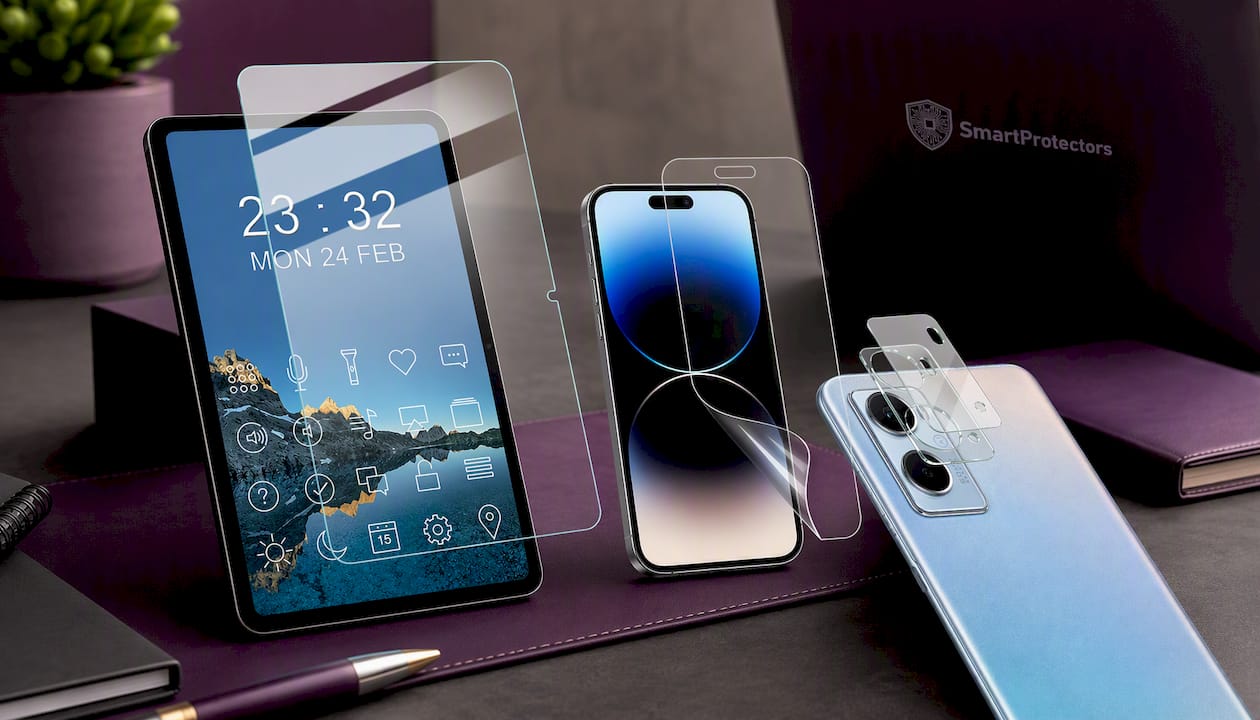
For tablets, the IMAK H Series tempered glass protector for the Oppo Pad Air gives HD clarity with a proper oleophobic finish. If you prefer a matt, glare-reducing feel on a phone, the anti-glare PET film for the iPhone 15 and iPhone 15 Pro covers that exact trade-off discussed above. Camera lenses get their own fix too, with the oil-resistant lens film and acrylic lens cap for the Oppo A96 4G pairing coating protection with a physical shield against knocks.
Browsing more broadly, the full screen protector and camera lens protector collections cover most current devices, and the cases range rounds out everyday protection. Can’t find your exact model? Submit a request through the site and it gets sourced and added to the catalogue. Head to the collection that matches your device and pick the finish that suits how you use it.
Sources
- What Is an Oleophobic Coating? - HowToGeek
- Tempered glass screen protector with oleophobic coating: the complete 2025 buyer’s guide - INAIRSPACE
- Tempered Glass HD Clear: Light Transmittance Standards & Oleophobic Coating Guide - Alibaba seller blog
FAQ
What does it mean to restore oleophobic coating on a screen?
In practice, restoring the effect means fitting a new screen or lens protector with its own oleophobic finish rather than trying to revive the original factory layer. This brings back oil repellence and easy cleaning immediately, since the coating sits on the new protector rather than the worn glass underneath.
Does alcohol remove oleophobic coating?
Yes. Alcohol-based cleaners break down the oil repelling layer faster than normal daily wear, which is why manufacturer-approved cleaners and a microfibre cloth are the safer choice for everyday cleaning.
What is the difference between oleophobic and hydrophobic coatings?
Oleophobic coatings repel oils and skin grease, which is the main source of smudges on a touchscreen. Hydrophobic coatings repel water instead, so while the two often appear together on the same coated surface, they are solving different problems.
How often should I replace a protector to keep the oleophobic effect?
There is no fixed schedule, since wear depends on cleaning habits and how heavily the device is used. Run the water droplet test regularly, and replace the protector once water stops beading or smears keep reappearing.
Can I fix a worn oleophobic coating without replacing the protector?
Replacing the protector is the more reliable route, since a worn coating on the original screen is difficult to restore properly at home. Fitting a new tempered glass or PET film protector with its own coating, such as those in SmartProtectors’ screen protector range, gives an immediate and predictable result.